Project Zomboid

Project Zomboid

1,616 ratings
Open All Containers [B42/41]
13
7
5
8
4
2
10
4
2
2
2
3
2
2
   
Award
Favorite
Favorited
Unfavorite
File Size
Posted
Updated
21.970 MB
16 Apr @ 11:08am
28 Sep @ 8:21am
9 Change Notes ( view )

Subscribe to download
Open All Containers [B42/41]

Description
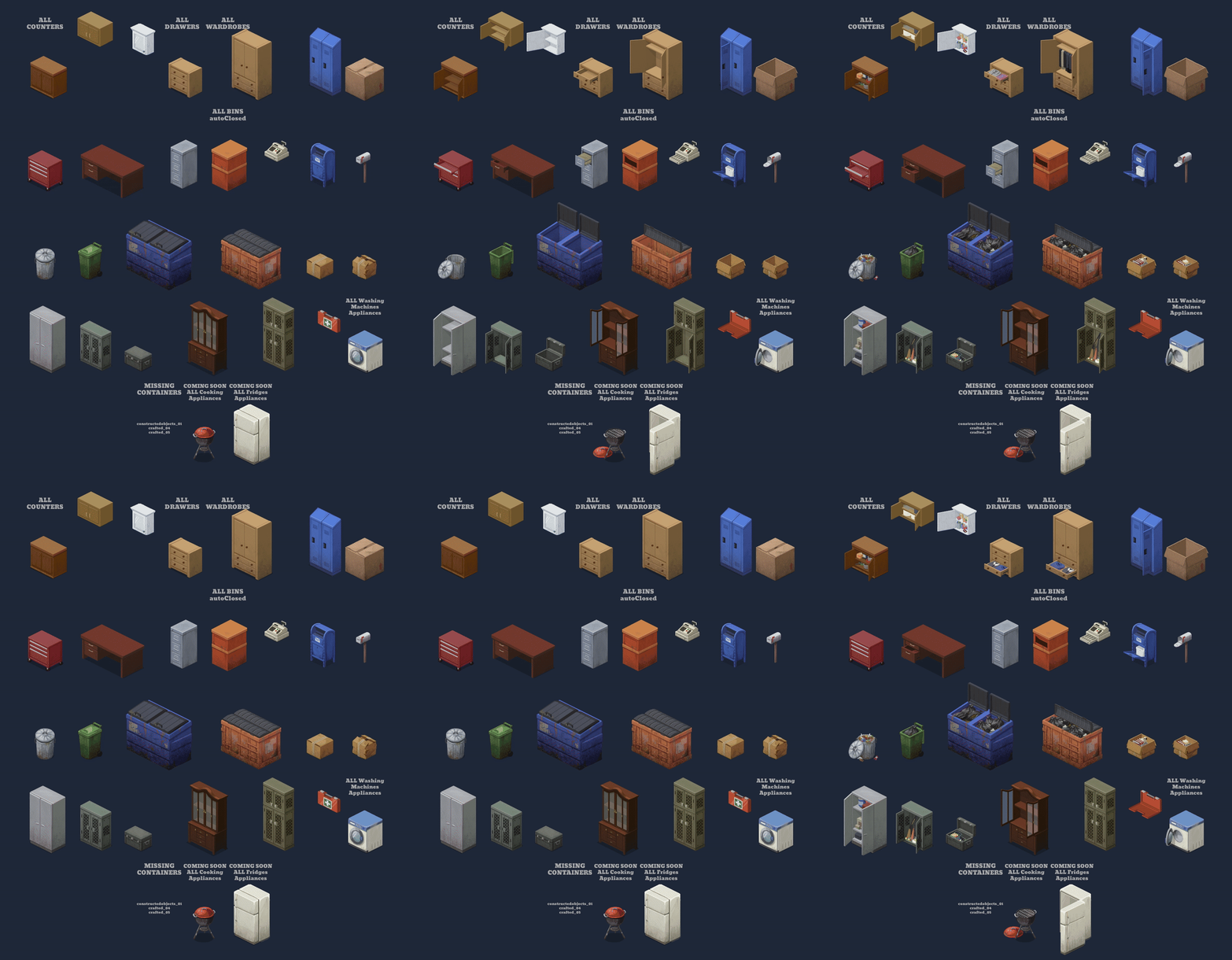
Open all containers. When you look inside a container, it will open (you can disable this in ModOptions). Then, with the container selected, you can close or open it by pressing the 'E' key (you can change the key in ModOptions). If you want, you can enable Auto-close in ModOptions. New option to change the Tick Rate.

Mod Options is now available for both build 42 and 41. For it to work on build 41, you need to have the mod 'Mod Options (Build 41)' enabled.

It is safe to add or remove items mid-game. However, if you remove the mod, the opened containers will no longer be visible but will still be there, and you won’t be able to move them.


Future plans:
  • Add new ModOption "not see what's inside until you open it".
  • Add the remaining containers.
  • Add overlays.
  • Add sound when opening and closing containers.
  • Make it compatible with Decoholic.

Compatible with:

Workshop ID: 3465040406
Mod ID: OpenAllContainers
Popular Discussions View All (3)
7
27 Oct @ 8:46am
Bugs
Jason Cyberius
0
7 Dec @ 8:23pm
Translations
RexTollBar
0
18 Nov @ 3:19pm
Actions or another mod blocked? FIXED: highlight the ground!
Jane Helldiver
311 Comments
DreamFest' 4 Dec @ 6:44am 
@zenarchist for this issue turn off texture compression and turn on Double Texture Size, i was able to toggle the visual bug with those settings
MechaMeki 3 Dec @ 11:06pm 
I have this weird glitch i think which the container stays open and didn't close back when i go far from the container. Is this normal? sorry for my bad english
Zenarchist 2 Dec @ 1:20am 
@Cybergoat I get that bug too on my dedicated server. Not sure what causes it but just wanted to say it's happening to me as well, that exact bug with the big semi-transparent warped containers. I think it's a conflict with another mod but not sure which one yet.

It only happened to me after I added these mods to my server (I was running this mod fine for weeks, then added these new mods and it broke - no idea why any of them would conflict tho):

BB_DaysGone_Counter;PlayersOnMap;CraftHelperContinued;AnotherVehicleClaimSystemB41;BuildingMenu;cropsNeverRot;MoreDescriptionForTraits4166;
LumpParrot 26 Nov @ 7:24am 
so.. is there just nothing I can do for my save? I didn't read the description and uninstalled this mod mid save. is there just no way to fix the invisible container bug? I even reinstalled the mod and enabled it.
SmieteFire 24 Nov @ 3:06pm 
can you change what shows inside of the container?
Nubbs 24 Nov @ 8:12am 
This might be my favorite mod out of about 300. Thank you for letting us enjoy this gem of a mod
Jane Helldiver 18 Nov @ 3:21pm 
Reporting this mod works fine alongside my other 400+ modded server!

Only MINOR issue is that the open state of a container is not registered by other mods, but getting around that is super easy: just highlight the ground so the container closes.

Major kudo's on this mod. Love the extra immersion
williamasecas 18 Nov @ 7:14am 
@Indra Mahesa that is already in the mod´s description:

"It is safe to add or remove items mid-game. However, if you remove the mod, the opened containers will no longer be visible but will still be there, and you won’t be able to move them."
Indra Mahesa 16 Nov @ 7:41pm 
WARNING: IF YOU HAVE ALREADY INSTALLED THE MOD, DO NOT UNINSTALL IT. REMOVING THE MOD WILL CAUSE A BUG THAT MAKES ALL PREVIOUSLY OPENED CONTAINERS INVISIBLE, WHICH WILL MAKE YOUR SAVE GAME LOOK MESSED UP.
AbiiT4ill 16 Nov @ 5:21am 
Hi, is there a way to remove the "added" display inside the cabinet when it's opened, once it's filled? I used to decorate cabinets, and before, when you closed and reopened the cabinet, the display would disappear, but not anymore.