Project Zomboid

Project Zomboid

2,547 ratings
TV & Radio ReInvented
72
24
24
17
4
5
4
4
15
13
12
4
4
6
6
4
3
3
   
Award
Favorite
Favorited
Unfavorite
File Size
Posted
Updated
31.244 MB
3 Feb @ 1:38pm
5 Feb @ 5:33am
4 Change Notes ( view )

Subscribe to download
TV & Radio ReInvented

Description

Experience the new side of Project Zomboid!

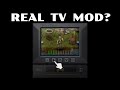
- New intuitive interface for TVs, Radios, Car Radios, Walkie Talkies, Ham Radios and CD Player
- Videos for every channel plus ads and educational VHS
- Full controller support
- Remote controller supported
- For Build 42 and Build 41
- Compatible with True Music


- Turn, scroll and push everything you see
- Easy to create and delete presets with new naming system
- Visible added CD and VHS


Build 41 doesn't support videos so there will be images instead

For Build 42 you have to manually copy videos folder:
This mod's videos folder is located at
C:\Program Files (x86)\Steam\steamapps\workshop\content\108600\3420581050\mods\TVRadio Reinvented\42\media

For those unaware, you can copy and paste this path into your file explorer's search header. Hitting Enter will then navigate you automatically.

Copy the videos folder located here, then navigate to
C:\Program Files (x86)\Steam\steamapps\common\ProjectZomboid\media

(Careful: copying this path will overwrite the videos folder you have just copied. You can navigate to this window in a separate tab or window in file explorer.)

Paste the folder in the new location. By default, the folder will be highlighted once pasted.


Next UI Mod already in development!


[buymeacoffee.com]

Workshop ID: 3420581050
Mod ID: TVRadio_ReInvented
Popular Discussions View All (14)
54
16 Nov @ 11:37pm
Bug reports & incompatibility.
Koal
30
22 Aug @ 10:15am
Suggestions & Questions
Codemonkey3
18
3
7 Feb @ 7:10am
Title names does not match for another languages
karimoff
537 Comments
Atom 14 hours ago 
Using build 41 this mod works the first time you enable it although sometimes the TV sounds don't work. If you start a new game though the mod stops working. You have to exit the game completely then restart. If you just restart to the main menu it quits working. No big deal though, I think the games UI is better anyways.
JesusChristIsLord 28 Nov @ 3:23pm 
NEVERMIND, it was bc my TV did not have the VHS slot.
JesusChristIsLord 28 Nov @ 3:22pm 
@Alexander Then what, nothing is working.
mclovin 27 Nov @ 3:39pm 
So i just need to copy n paste this mods media folder into the PZ media folder?
pccc 27 Nov @ 9:22am 
does the vhs really only blank? like black and static effects?
Alexander 25 Nov @ 11:25pm 
@Gryphon you need to have the vhs in your main inventory space.
Gryphon 25 Nov @ 3:59am 
Unsure of how to play a VHS with this mod, if i go to try to drag a VHS from an inventory, the TV menu will disappear as soon as you click on anything that is not the TV
JesusChristIsLord 23 Nov @ 11:43am 
I've not had a single transmission when using this mod, on walkie talkie or on a radio or has it bc broadcasts stop broadcasting or what? Only Tvs worked
Cannabi$ 21 Nov @ 8:43pm 
hey if any of you out there also wish for a CD player that works its ok i found out the premium tech radio has a CD player built in and the radio sprite works for me just the porta disk that doesn't work
Jaxx - pshoooo 18 Nov @ 12:25pm 
B42, extremely small issue, the placement preview for the premium tech radio is still the old sprite and does not match the new one. appears as expected once actually placed