FINAL FANTASY XIV Online

FINAL FANTASY XIV Online

57 ratings
Save, Transfer, Backup UI manually
By Phleet
This guide will show you how to save and port your UI, keybinds, macros and gearsets for fast setup in case you make a new character, reinstall FFXIV, or play on another computer such as a friend's PC.
2
   
Award
Favorite
Favorited
Unfavorite
"Why the hell would you ever do this in the first place?" - some guy probably asks
Ease of Access

It's all in the header. Ease of Access.

Reformatting

Reinstalling

Playing on a new computer

Sharing UI/keybinds/hotkeys with friends

Visiting a friend and playing your account briefly(but with your UI and without replacing theirs)

Preparing in case of data loss or corruption, ie: needing to reformat/reinstall

With this method, you won't have to spend hours recreating your UI, hotbars, hotkeys, keybinds, macros etc. The only caveat I've found is that it also saves your character's gear data as part of the gearset data which means you'll have to update all your gear once you're in-game on all your gearsets. You would normally have to do that either way, but this saves you about 95% of the time it takes to do it.

Full Disclosure
You can back up your current UI/gearsets the same as I outline here by using a relatively new feature that does this automatically.

At the launcher, select Config/Backup Tool/Backup. This should save the same things in far fewer clicks than my method shows, and you can restore your customized UI by selecting Config/Backup Tool/Restore.

Final note: I tested this method out myself, saved my UI on a separate drive as listed out in my guide, then used the backup tool to save another copy elsewhere. Deleted my UI, launched the game to confirm my UI was gone and it was. Used the Restore function and it restored all my characters' profiles, but failed to restore my gearsets, skills, hotbars, UI and inventory management.

-This tool will most likely work for you, as my system is usually very buggy so I have to do almost everything manually. Take my anectodal with a grain of salt.


With this out of the way, let's get to it.
Step by Step - TL;DR variant.
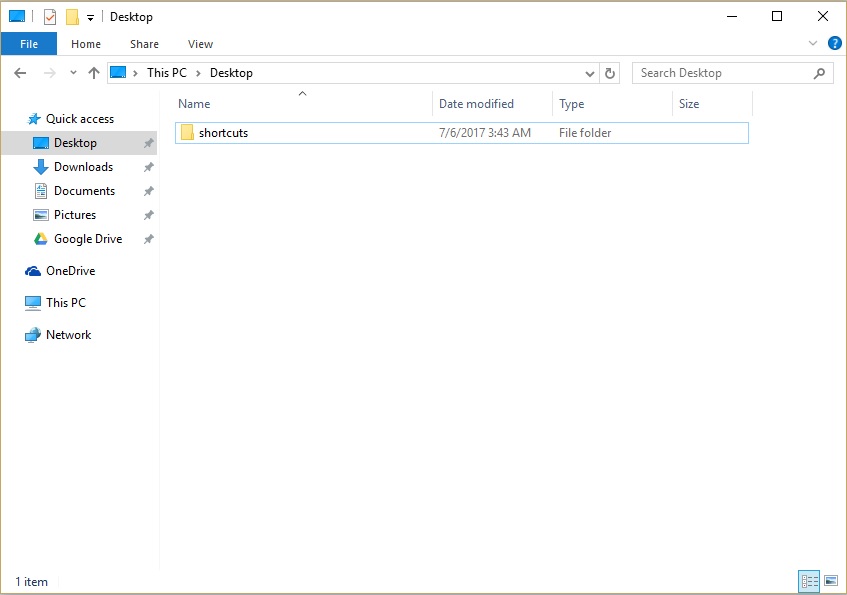
On your desktop, navigate to
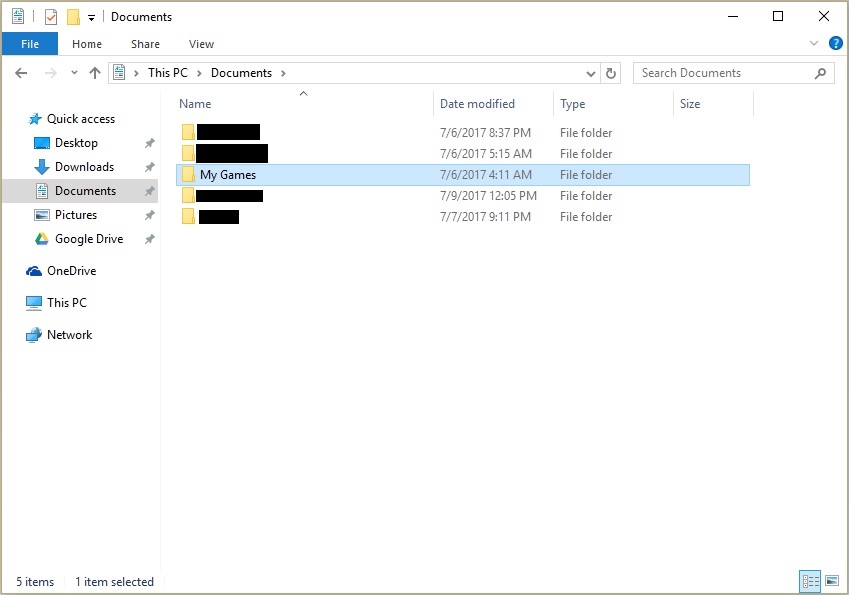
  1. My Documents
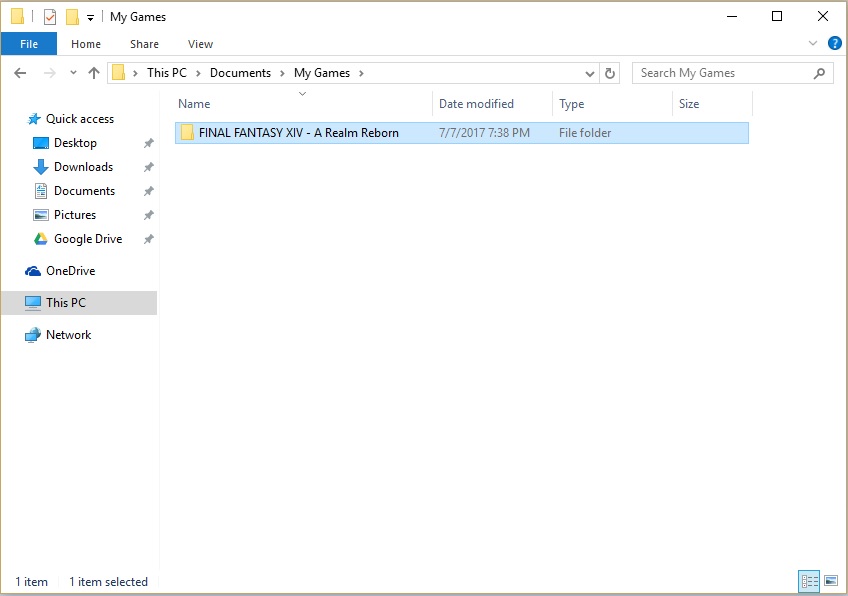
  2. My Games
  3. Final Fantasy XIV
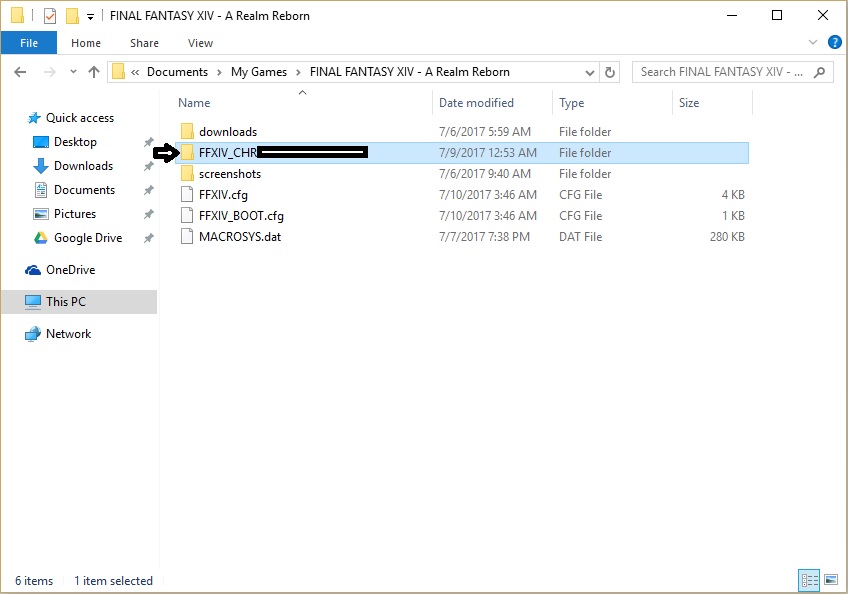
  4. Identify your character's folder
  5. Copy all of its contents into Google Drive, a USB, or whatever.
  6. Paste it back in the same folder
Step by Step with pictures
For accuracy's sake
  1. My Documents


  2. My Games


  3. Final Fantasy XIV


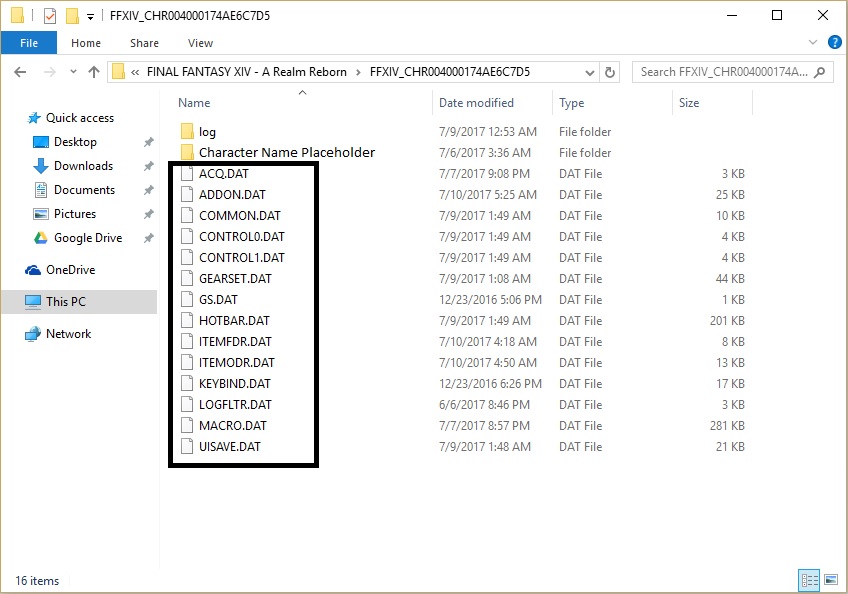
  4. Identify your character's folder


  5. Copy all of its contents into Google Drive, a USB, or whatever.

    *note: the character name placeholder is a folder i created with my character's name so i can easily identify which folder is which character. this folder won't be there for you.

    *note: if you sift through the Log text file you can identify which character you were playing on as the game saves your chat for you.

  6. Paste it back in the same folder

    *Note: for a character profile folder to even exist, you need to launch the game and load in on your character for the first time so your game creates and saves a profile for you.
    *Note: you can save this into Google Drive or a USB/blank disc/hard drive or whatever as a backup for later.

Credits
lol i don't actually know who figured this out

i think i found it on reddit a year ago or something and never made a guide for it

anyway, the point is i wasn't the one what figured this out but if it helps someone, all the power to you.
17 Comments
Raven 2 May, 2024 @ 12:32am 
As far as I know, you can only upload/download a copy of a character's setting, back to that same character. You still cannot, through their system, take one character's settings and use it as another's.
Phleet  [author] 27 Jul, 2020 @ 1:51pm 
@fodder, yup, you'll notice i covered that in the preface. this is for the other reasons you would do this
fodder 27 Jul, 2020 @ 8:15am 
nowadays you can upload a copy to their server (and d/l it off them) at the character selection screen
Phleet  [author] 24 Jul, 2020 @ 9:42pm 
one of two things happened there, cake.
probability 1: i'm just that stupid
probability 2: i actually intended that at the time but i can't remember why

if we go with option 2, the best guess i got is uh... i didn't think to highlight my process and instead blocked out everything that wasn't needed for a step. i should redo these pictures with highlighting instead of blacking everything out
Cake 24 Jul, 2020 @ 3:07pm 
Why do you hide your character data folder name, then proceed to literally show it in the search bar in the next picture, and then immediately after you hide it again?

Am I missing something?
Phleet  [author] 11 Nov, 2019 @ 4:34pm 
go for it, but the file organization FFXIV uses for these documents is pretty much idiot-proofed, i should know, i'm the biggest idiot you know. when you log in to a character, it looks for or creates the file folders and files we're playing with in the above guide. operative phrase being, "when you log into a character"
Mumrah 11 Nov, 2019 @ 3:54pm 
So the game will create a new folder and files for the character I deleted the folder for once I enter the world with the character? (Hope that made sense)

Making notes makes sense, but the extra folders are doing nothing and for the sake of organization, I would prefer to have folders for characters that actually exist in case I want to copy a file here or there.

May I add you, so we can chat instead of fill up your guide with silly OCD questions?
Phleet  [author] 11 Nov, 2019 @ 3:44pm 
yeah, you can delete them, game will just make a new folder for your character, could also just delete everything on the inside if you want to restart from vanilla.

each character has a unique string though, you shouldn't have to delete the extra folders, i just add a txt doc or folder with my character's name inside each folder to ID them, but you make enough it gets messy.
Mumrah 11 Nov, 2019 @ 3:31pm 
Thanks for the guide.

Say I delete one of the FFXIV_CHR folders be accident. Will the game create a new folder and populate it with files for the character once I log into the game?

I ask because FFXIV created folders when I created the characters. When I deleted the characters, the folders remained. I want to delete the folders that belong to the deleted characters.
Phleet  [author] 1 Oct, 2019 @ 8:03pm 
don't thank me, thank reddit or something. i honestly don't remember where i got the information but i did not figure this out myself. just wanted the information to be more accessible