Raw Data

Raw Data

Not enough ratings
[How-To] Multiplayer With a Friend Using a Different Platform
By Survios_CS_1
   
Award
Favorite
Favorited
Unfavorite
[How-To] Multiplayer With a Friend Using a Different Platform
While Raw Data does have cross-platform functionality, Oculus Home and Steam users will not see each other on their in-game friends list. That’s because these friends lists are locked to their respective platforms.

Friends playing on different platforms should use the multiplayer search function to find each other by having one friend publicly host a game.

In the following example, Player 1 is the Steam user and Player 2 is playing on Oculus Home:

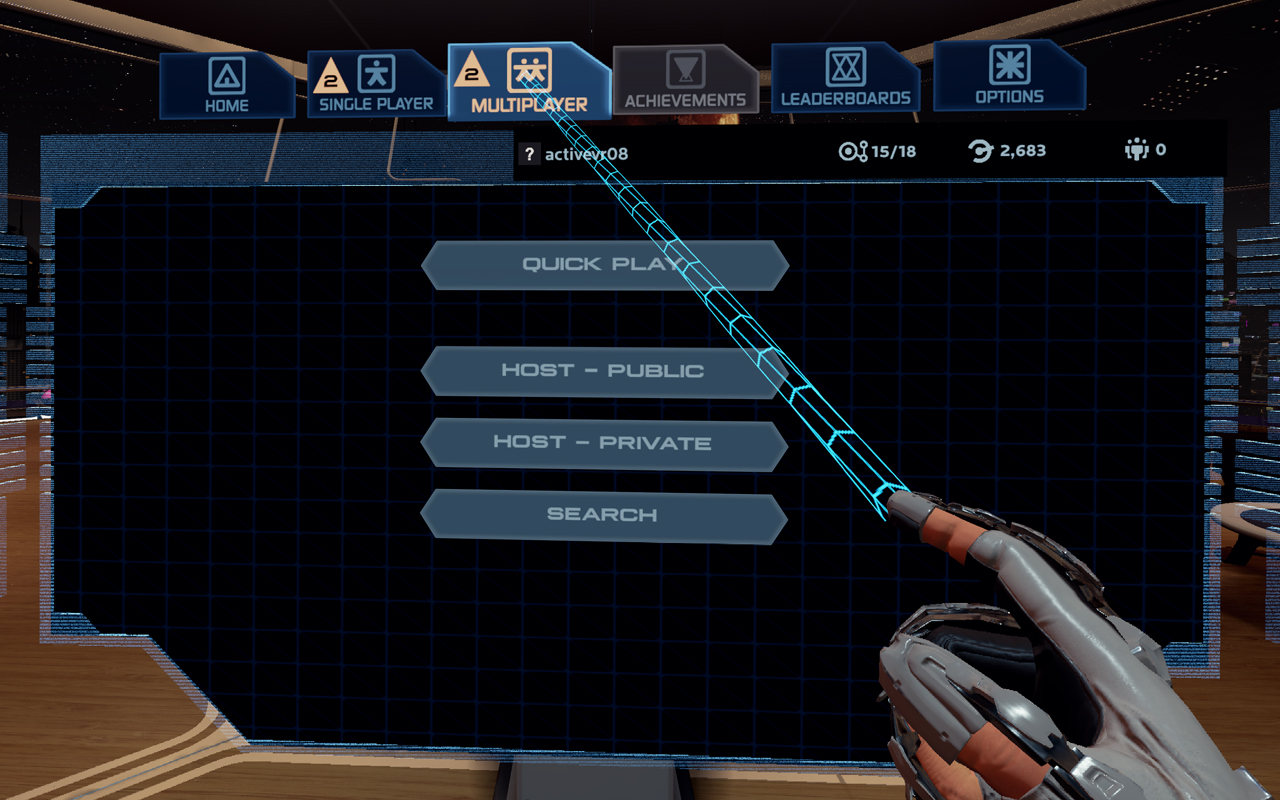
  • Player 1 will navigate to the Multiplayer tab.
.
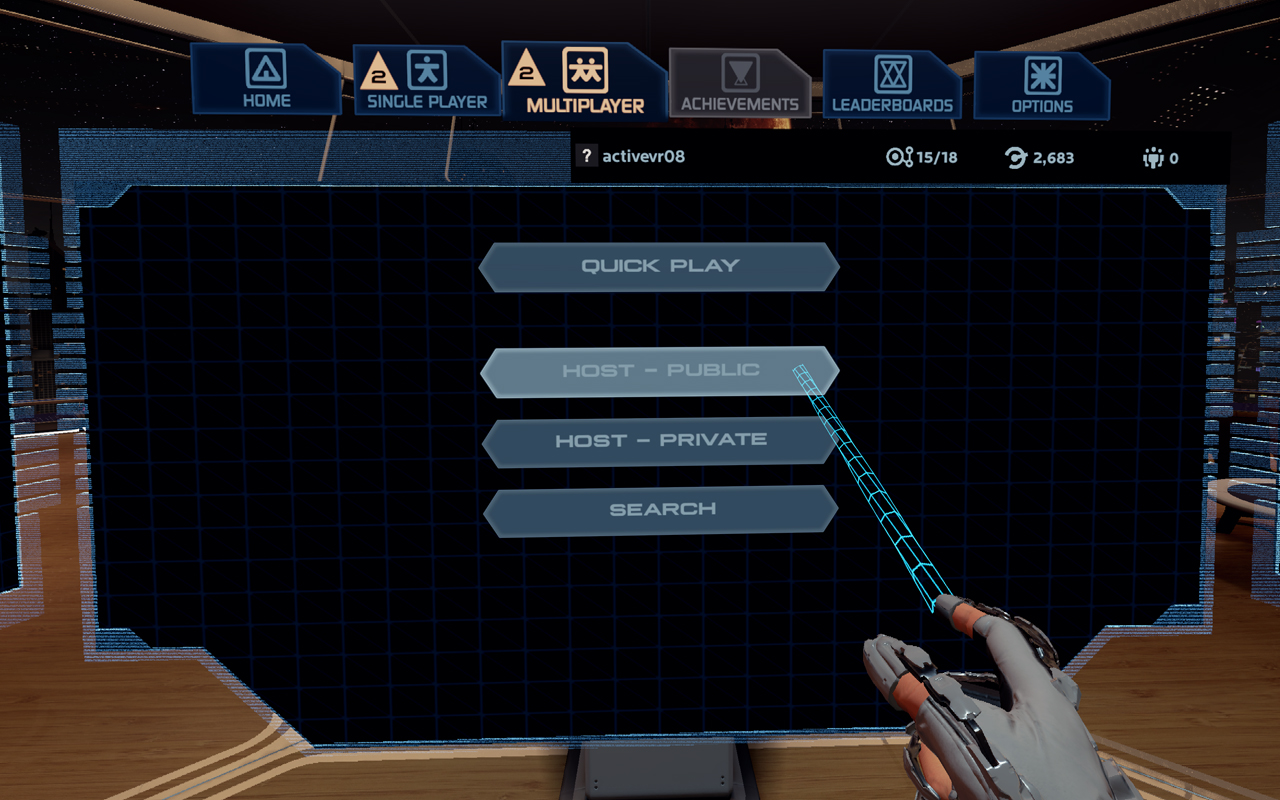
  • Once in the Multiplayer tab, select “Host - Public”.
.
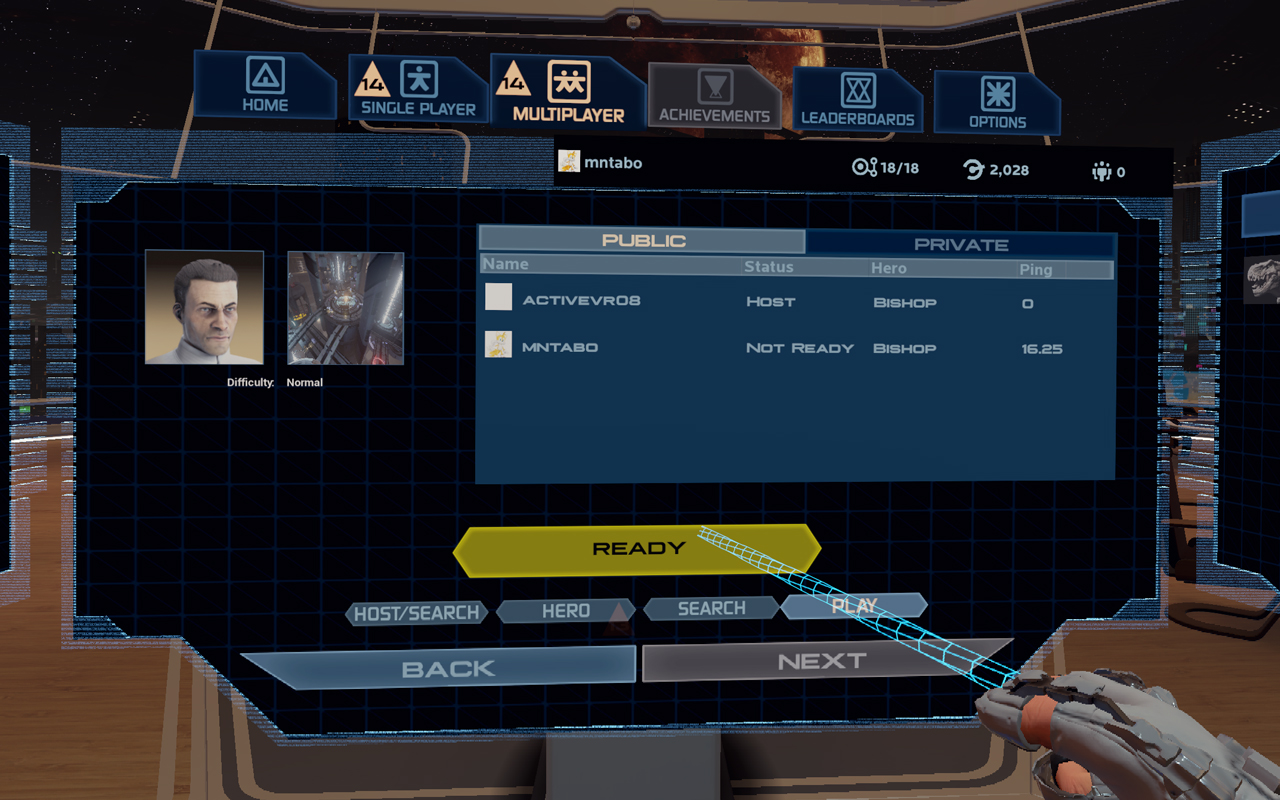
  • Now that Player 1 has hosted a public game, Player 2 can find their session.
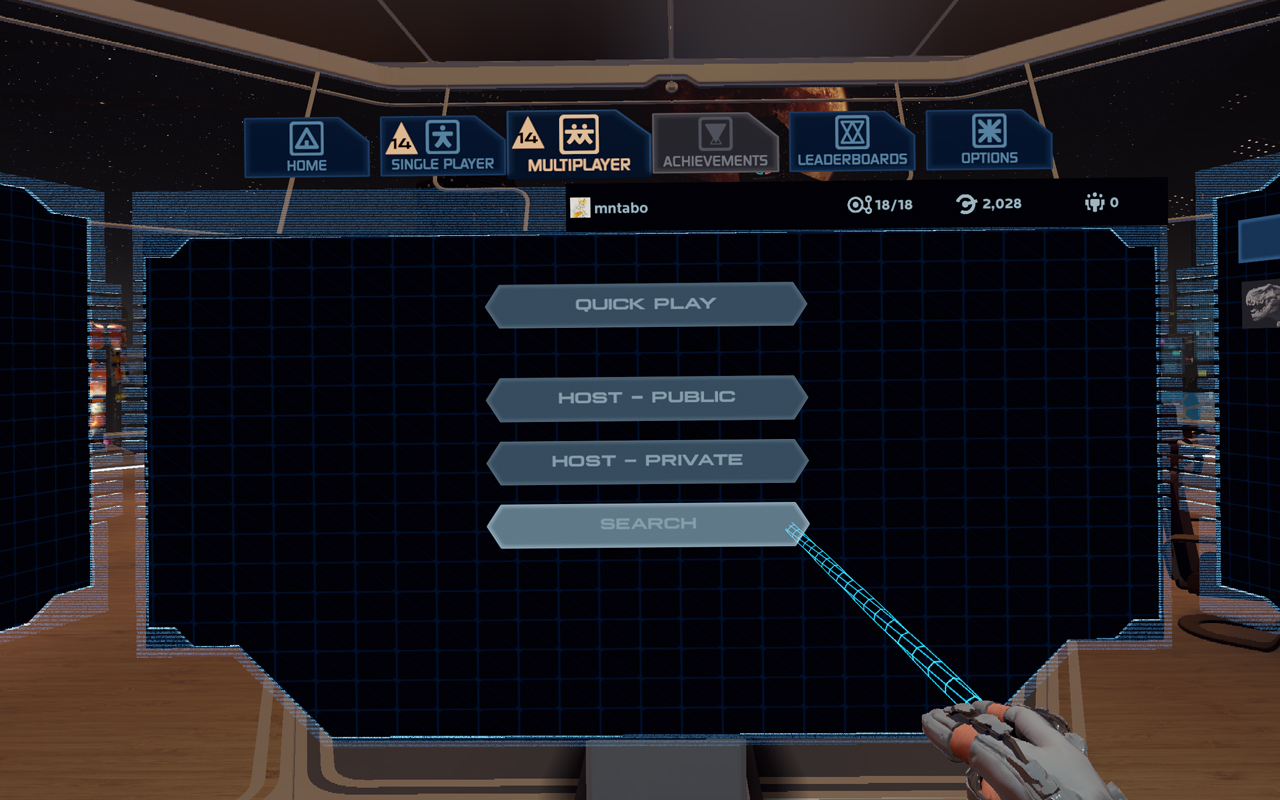
    Player 2 will navigate to the Multiplayer tab, then select “Search”.
.
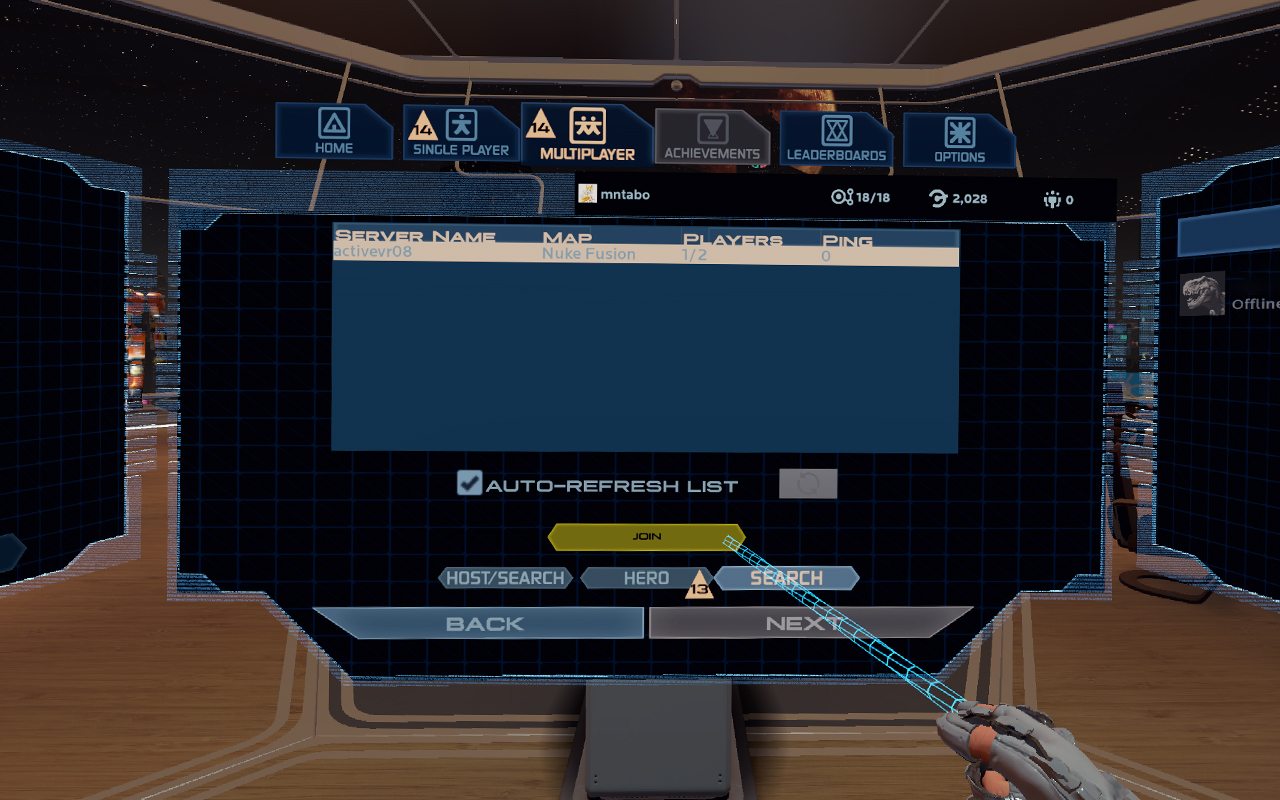
  • After selecting search, Player 2 should be prompted with a server list. Look for Player 1 under the “Server Name” section and select their server. Once their server is highlighted, select “Join”.
.
  • If done correctly, Player 1 and Player 2 should be queued up together in a Public session.
8 Comments
kebabmix19 25 Nov, 2018 @ 12:05pm 
What if I'm playing on PSVR and my friend is playing on Oculus Rift?
Survios_CS_1  [author] 15 Jul, 2017 @ 4:16pm 
Hey @Teldan,

Just wanted to let you know I responded to your ticket. Thank you for your patience!
Aetherdestroyer 15 Jul, 2017 @ 8:11am 
that's because the update is out for oculus but not vive.
Teldan 15 Jul, 2017 @ 6:20am 
I play on Oculus and today i tried to join a match with my friend on Steam but we were not able to join each others games. On Oculus there is no menu für multiplayer but für Coop and PvP speretly. I guess that this could cause trouble because the lobbies have different states or something.
Survios_CS_1  [author] 28 Mar, 2017 @ 1:34pm 
Hey @teecay, would you mind contacting us at [email protected] to further investigate this issue?
teecay 27 Mar, 2017 @ 9:37pm 
Thanks @Survios_CS.. In the game I don't appear as @teecay, but as my email address, so people can't add me as a friend based on the name they see in the game.
Survios_CS_1  [author] 27 Mar, 2017 @ 11:32am 
@teecay your friends list in-game will be the same as your platform's friends list - So either your Steam friends list or your Oculus Home friends list will display.
teecay 24 Mar, 2017 @ 11:45pm 
How do you add a person to your friends list? There doesn't seem to be a way to do this.