Lossless Scaling

Lossless Scaling

107 ratings
Lossless scaling guide for Helldivers 2
By [ARCH] Ryan_Iron
Tutorial on how to use Lossless scaling with Helldivers 2 as Helldivers 2 optimisation is extremely bad.
4
2
   
Award
Favorite
Favorited
Unfavorite
What to change inside of Helldivers 2
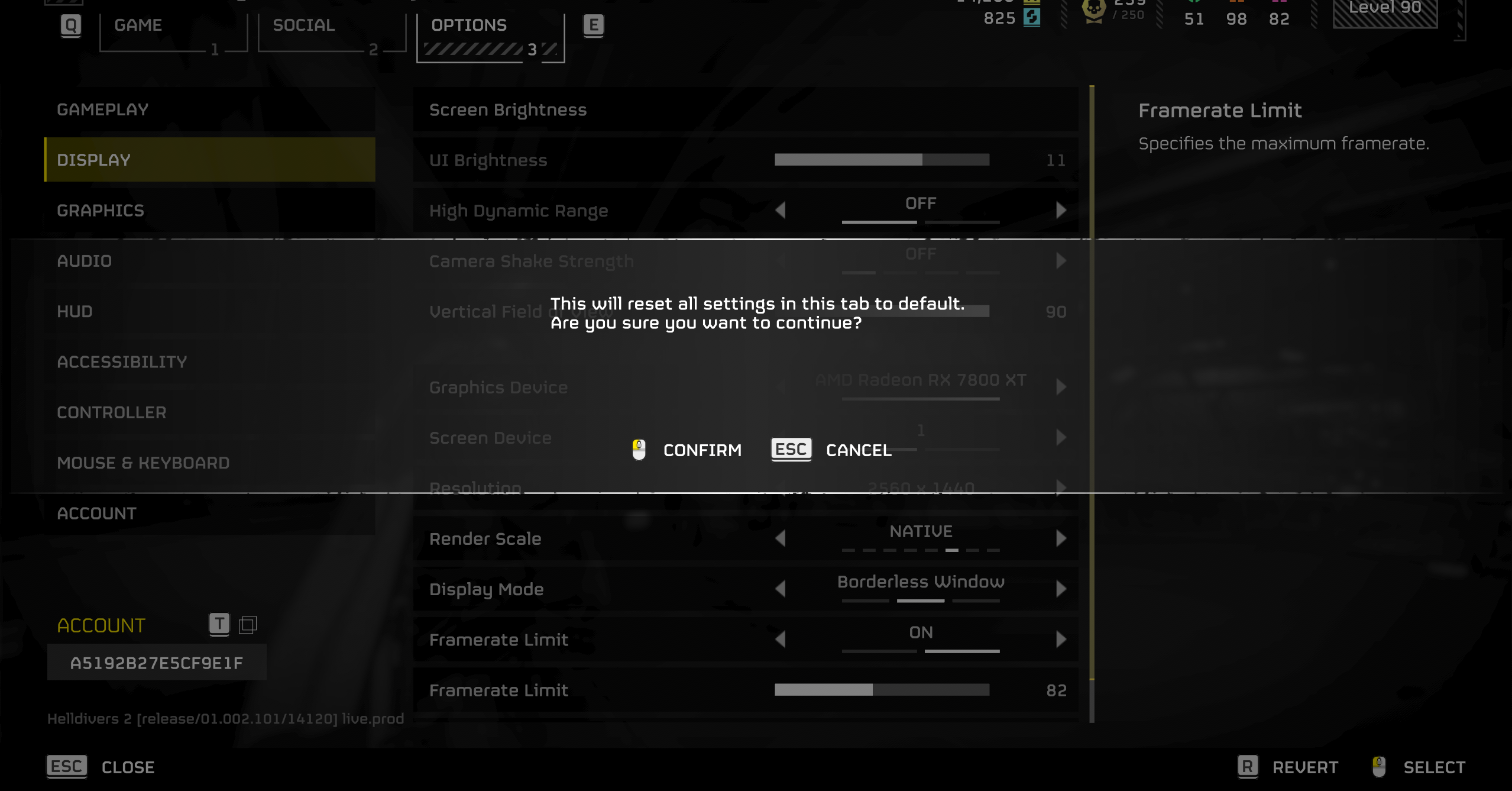
First launch the game and open settings. Once open navigate to the "Display section. Press the "R" key to reset the display settings.


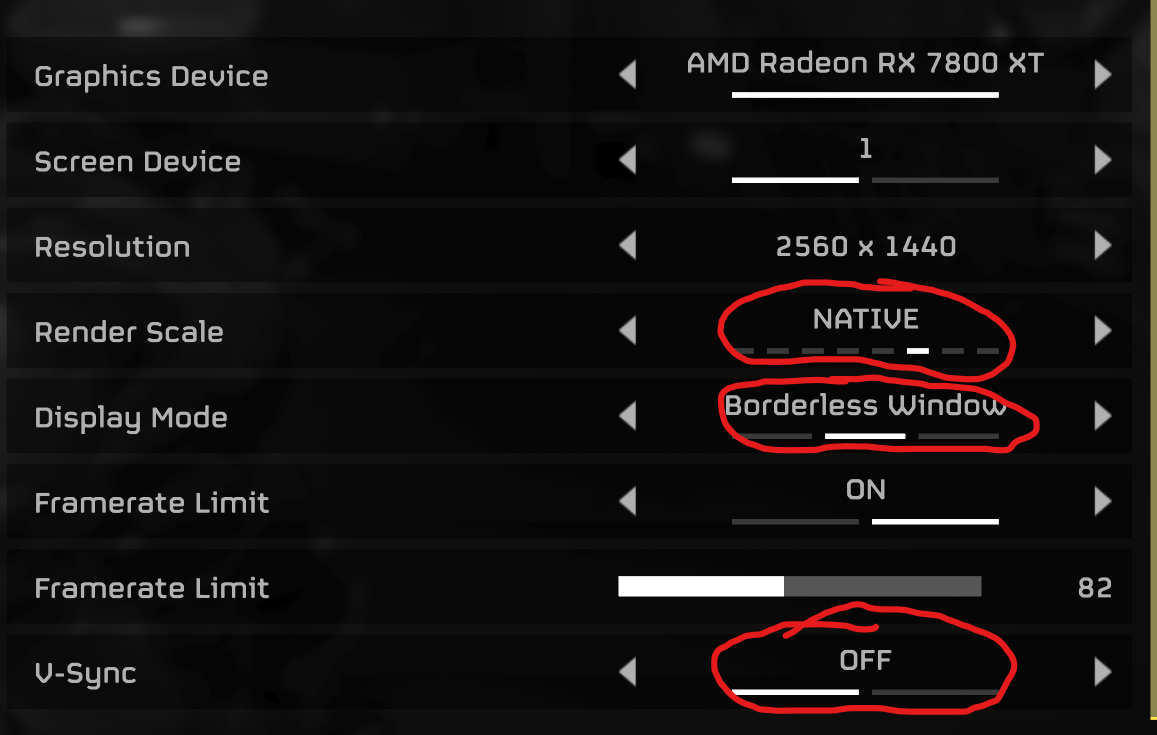
Next you must disable V-Sync which is at the bottom of the display settings. You must then change your render scale to "Native" (also in display settings). After V-Sync is disabled and your render scale is set to "Native" you must then change your "Display mode" to "Borderless window" otherwise Lossless scaling will not work (also located in display settings).


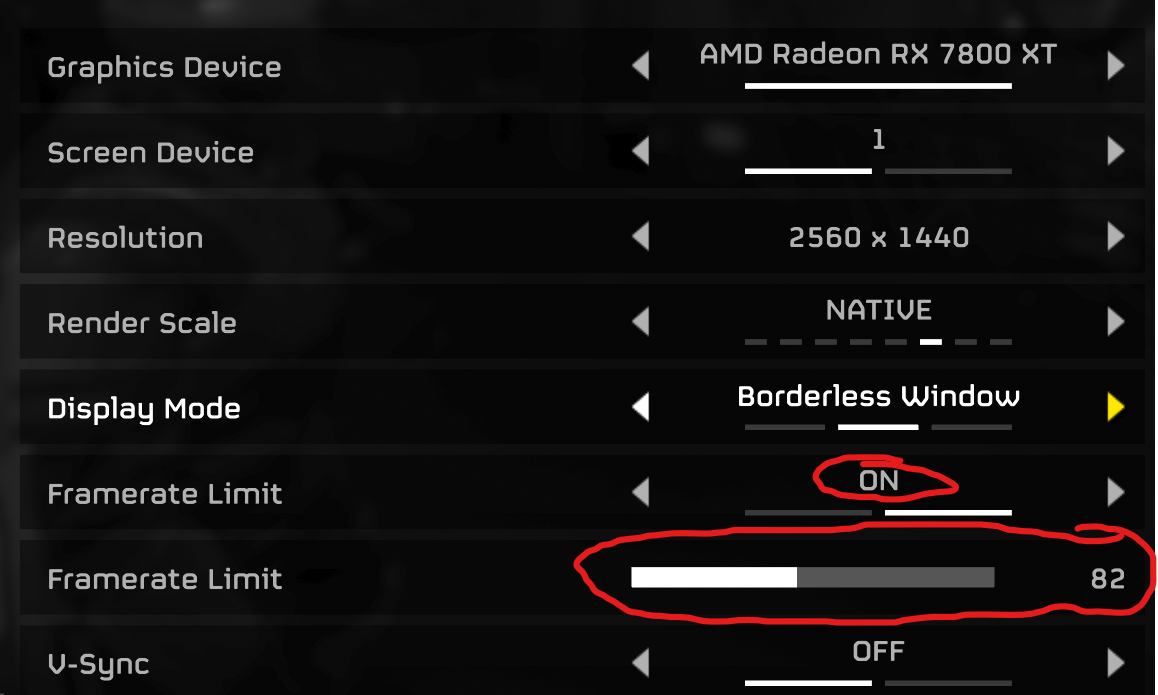
The last change you need to make ingame is that you must cap your framerate at half of what your current monitors refresh rate is. For example if you have a 165hz monitor cap your fps at 82 or if you have a 144hz monitor cap it at 72. You can cap your framerate by using the setting in the "Display" section in the game.

What to change inside the Lossless scaling app
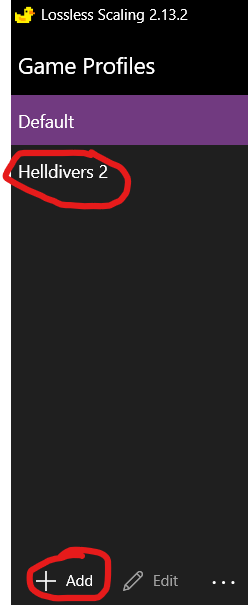
Once you have downloaded the app open at and click on the button to create a new profile and name it "Helldivers 2"


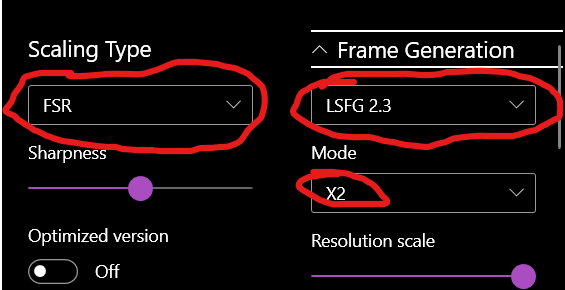
When you have created the "Helldivers 2" profile click on it and then under the "Scaling type" options select "FSR". After you have selected FSR click on the 1st box underneath the "Frame generation" section and select "LSFG 2.3" and underneath that go into the mode tab and select the "X2" option".


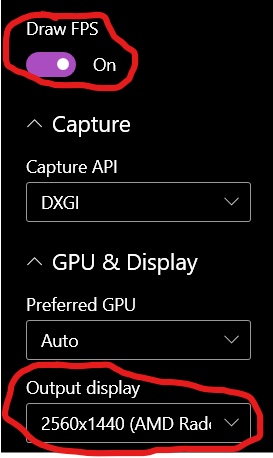
Secondly scroll down on the right hand side of the app until you reach a setting called "Draw FPS" and make sure that it is turned on. You must then ensure that the "Output Display" setting is set to your correct monitor and GPU.


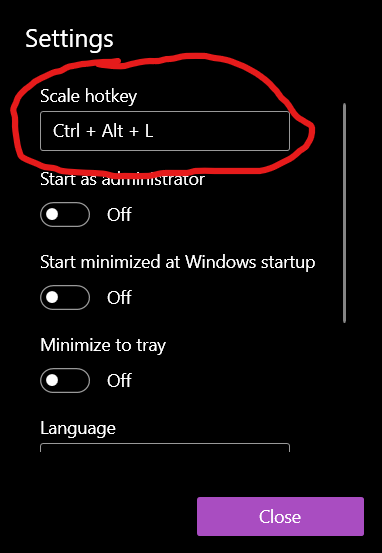
Finally launch "Helldivers 2" and also launch "Lossless scaling" and once you are in the game click the scale button in the "Lossless scaling" app and immediately tab back into "Helldivers 2" and your FPS should be doubled. If it does not change it may prompt you to create a hotkey to enable the scaling which you can do by clicking the settings icon above the "Frame generation" tab.

Conclusions
If you have followed all the steps correctly your FPS should be doubled. If you have any issues or problems leave a comment under this guide or send me a message request on discord.

Discord username: ryan_iron

EDIT: Ensure you have instant replay turned off otherwise it can bug out


94 Comments
[ARCH] Ryan_Iron  [author] 28 Nov @ 3:21am 
What amount did you cap your fps at?
Ranby 26 Nov @ 11:42am 
Its still the same. 80-90 fps
[ARCH] Ryan_Iron  [author] 26 Nov @ 7:06am 
When you tried it was the fps in the top left corner higher than your monitors refresh rate?
Ranby 26 Nov @ 1:49am 
ive tried it but it didnt work
sevcrimsonkilla 22 Oct @ 5:30pm 
not a bad guide, thank you :yaranaika:
TheBirdOfHermesツ 8 Oct @ 7:01pm 
Guys the game itself it's CPU heavy not GPU heavy so most likely it's you guy's CPU that can't handle the game! Upgrade your CPU to get better FPS! Lossless Scaling it's for more GPU intensive games not CPU intensive like Helldivers 2!
有中国人吗我看不懂
[ARCH] Ryan_Iron  [author] 21 Sep @ 9:41am 
Idk what to tell you man ive been constantly testing my method on Helldivers and other games like Dune awakening and it still runs fine for me and others. Ive seen it not working a lot more recently so maybe something with Lossless Scaling is bugging or maybe you have an overlay enabled that is interfering with it?
FUZZYYMONKEY 21 Sep @ 6:48am 
this doesnt work. i did everything in this and nothing. lossless scaling used to work awesome and run flawlessly. Now when i turn it on it hogs my frames down to 70 and everything is choppy as hell. ive used this app for like 150 hours and now it doesnt work at all. wtf
[ARCH] Ryan_Iron  [author] 5 Sep @ 5:52am 
Agreed im using a 7800XT and can barely get even 60fps. The game is also very CPU dependent which is annoying.