Battlefield™ 1

Battlefield™ 1

35 ratings
Battlefield 1: How To Install And Play With Mods
By [SRB] Marlo
Finally a guide you have all been waiting for since Battlefield 1 came to Steam! How to install and play with mods. Dont worry i will show everything in this guide, its quite easy. Enjoy! (MULTIPLAYER SAFE! CLIENT-SIDE ONLY!)
   
Award
Favorite
Favorited
Unfavorite
Getting Frosty Tool Suite (And Mods)
You will simply start by downloading latest Frosty Tool Suite (Frosty Editor and Frosty Mod Manager) release from its github page: https://github.com/CadeEvs/FrostyToolsuite/releases

Battlefield 1 Mods page link: https://www.nexusmods.com/battlefield1/mods/

NOTE*
Your system may recognize both Frosty Tools as malware, so be sure to allow it to bypass restrictions so you can use it.

GETTING FROSTY MOD MANAGER READY
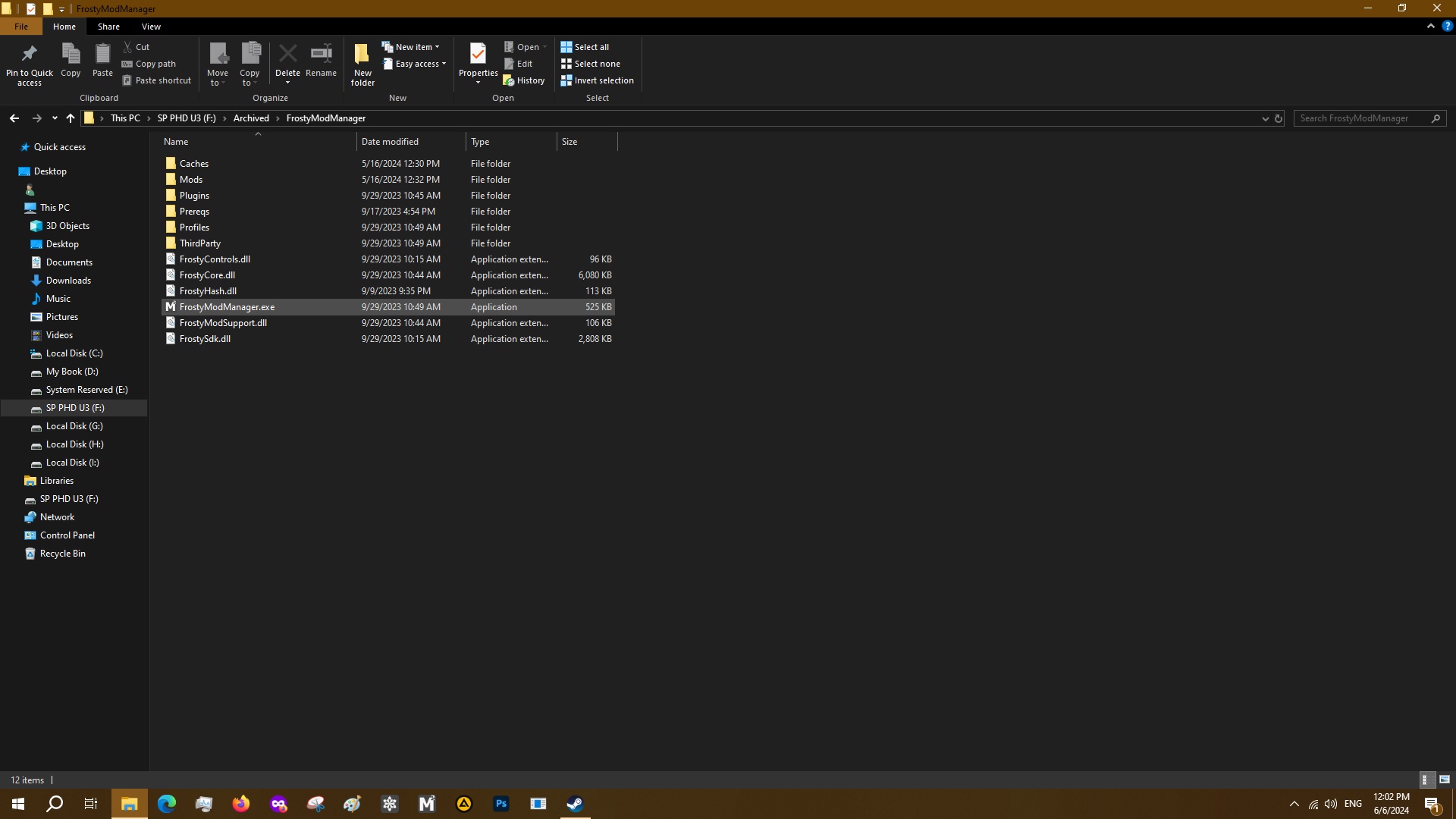
After you have downloaded Frosty and extracted both Editor and Mod Manager to your preferred location, you will obviously go to the Mod Manager folder to play with and experience game with mods.
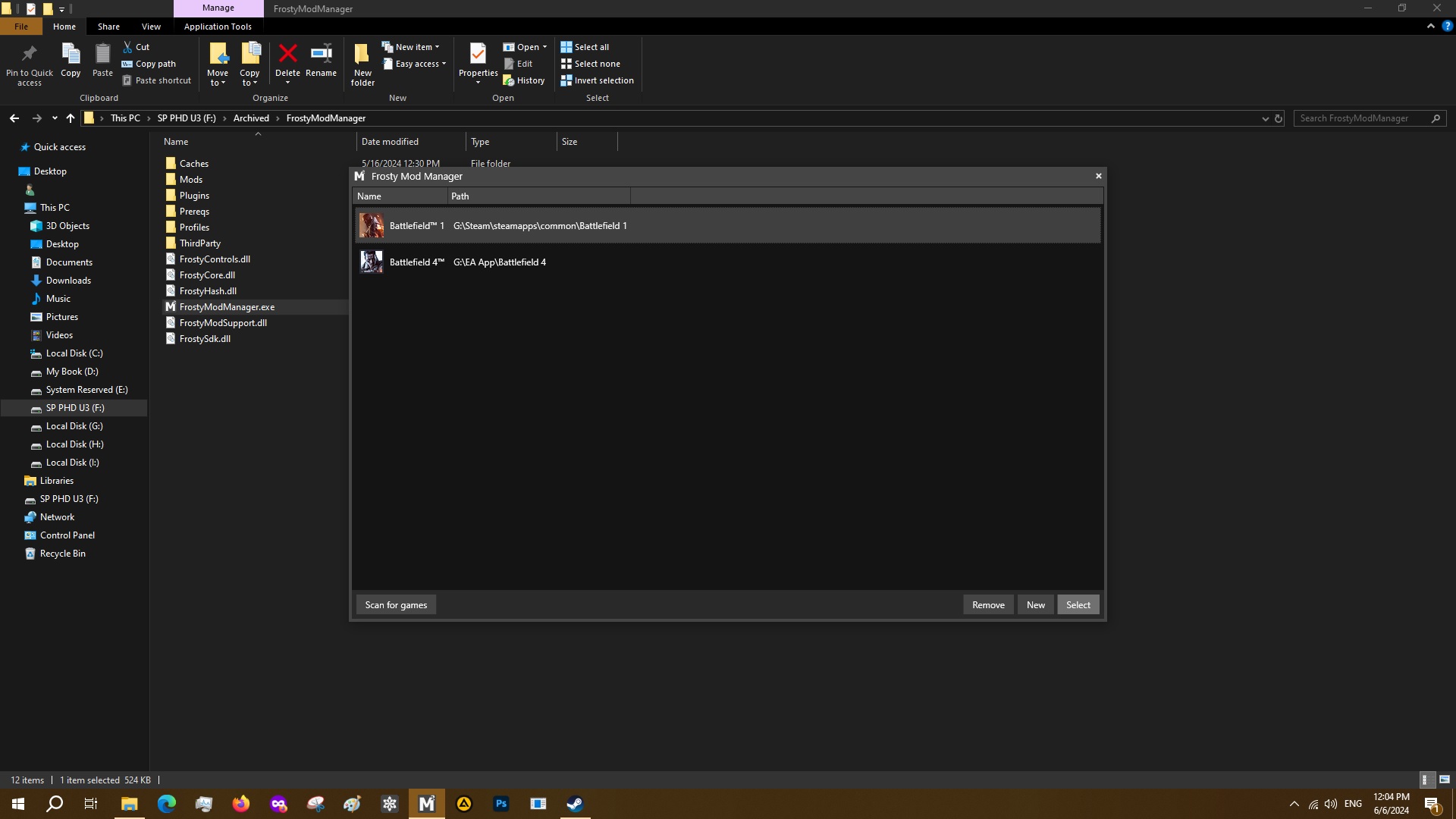
When you open Frosty Mod Manager, you will select `Scan for games` so it searches and finds Battlefield 1, when its done you click on `Next`.
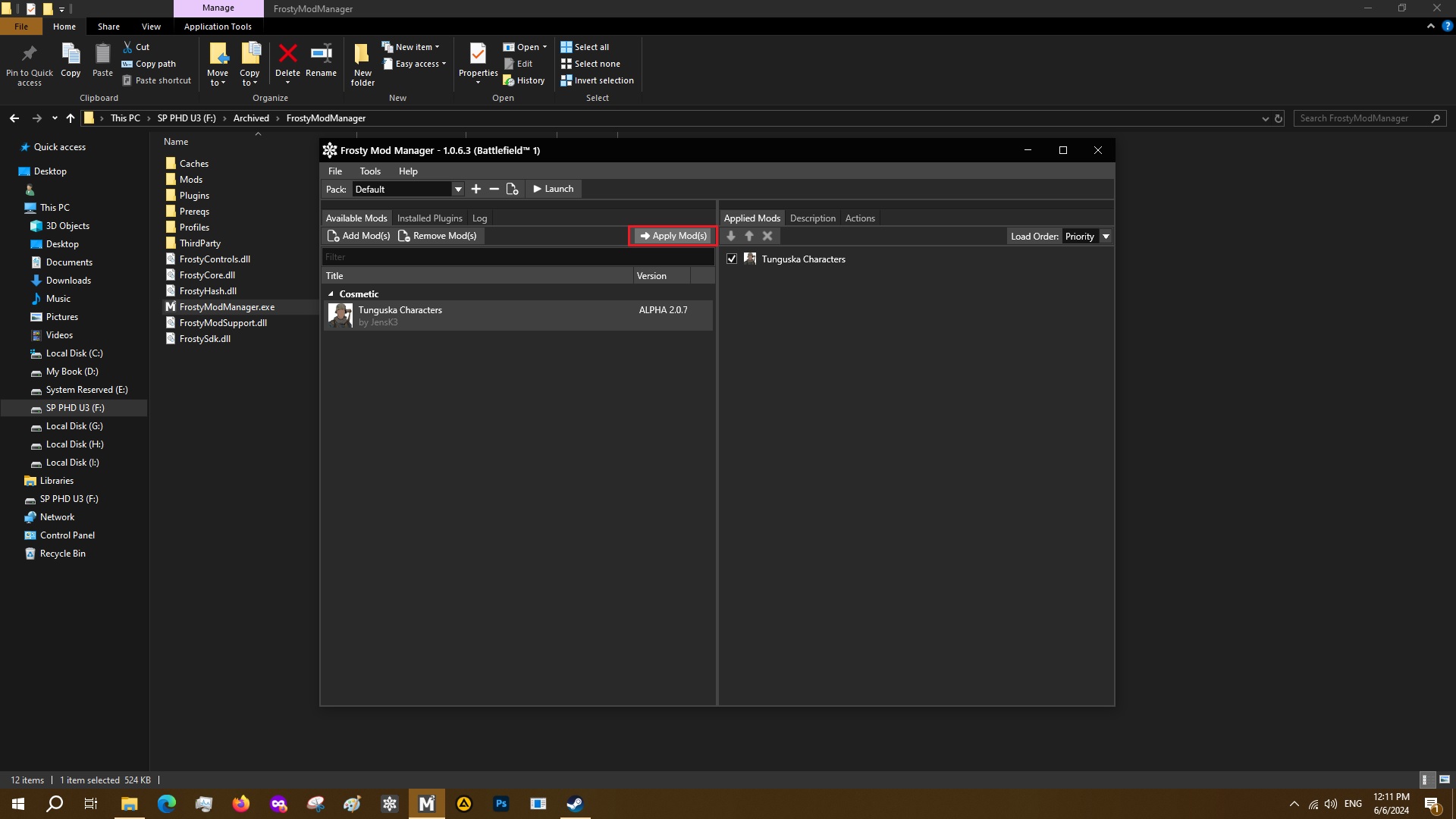
After that it will scan Battlefield 1 files and when its done, you will click on `Add Mod(s)`. Mod files are in `.fbmod` format.
After the mod has been added, then you will click on `Apply Mod(s)`.
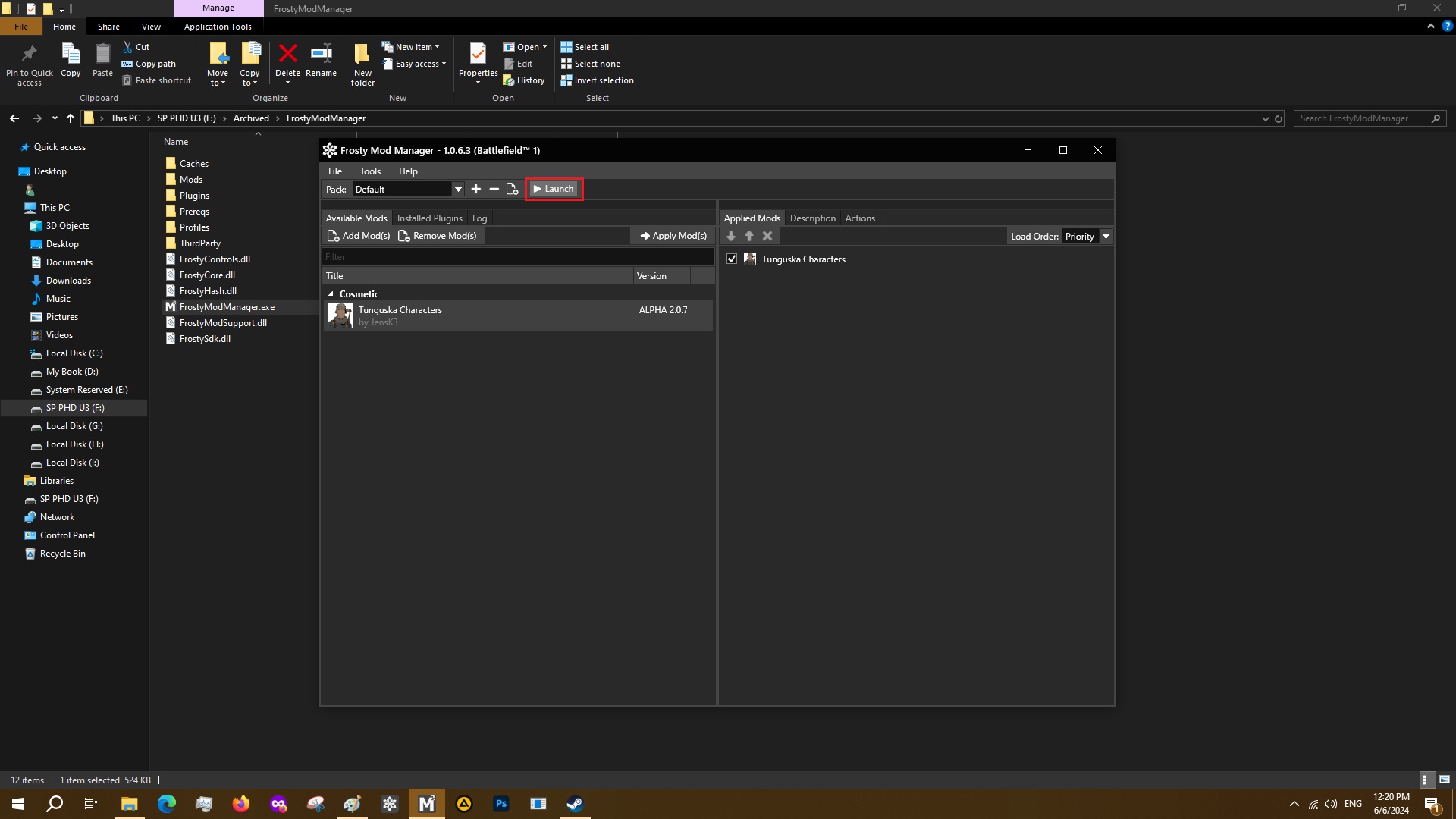
You will then click on the `Launch` button.
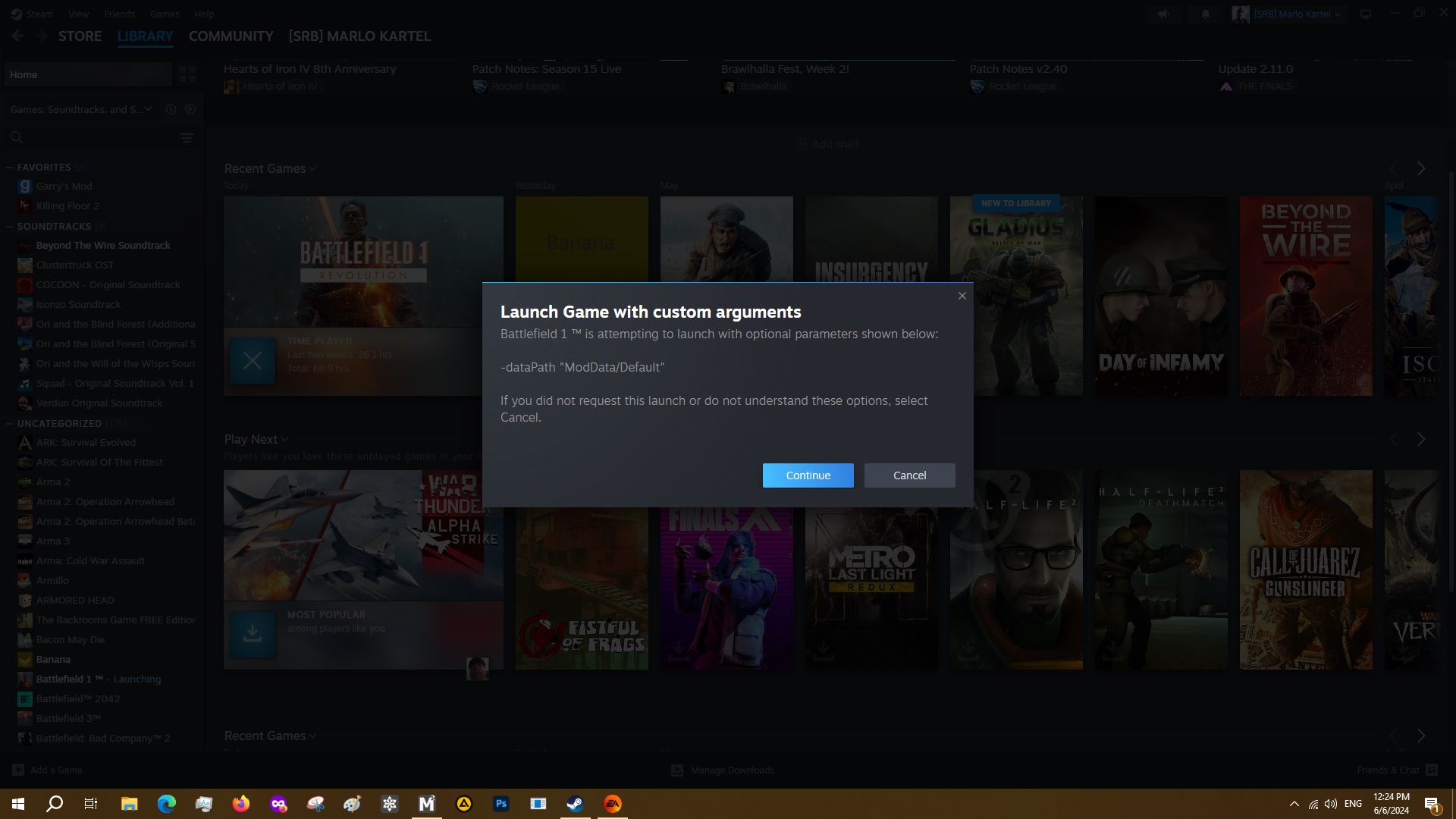
Steam will ask you to `Launch the game with custom arguments`, just hit `Continue`.

NOTE*
I recommend you set the `Load Order:` to `Priority` instead of `List` if you ever decide to use a lot of mods. Also there is no need to change anything in launch options in Mod Manager since Steam configures everything itself.

ALSO DISABLE DX12 IN BF1 VIDEO SETTINGS, SO THE GAME DOESNT CRASH!

That`s all the work, enjoy your game lads!
43 Comments
[SRB] Marlo  [author] 23 Nov @ 4:06am 
@Naonaomisato You cant play multiplayer on official server with mods anymore. You must use Marne client and run mods on your own private server.
Rouly 22 Nov @ 6:37pm 
the frogs dont make sense anymore:featherduster:
Papaoli 14 Nov @ 5:01am 
What if i used the re-skin mod on BF1 multiplayer, should i get banned instantly ?
[SRB] Marlo  [author] 9 Oct @ 5:40am 
@Gabesterof92 Yeah it should work with campaign. Although you have to use Marne client together with Frosty to mod the game.
Gabesterof92 8 Oct @ 6:56pm 
Is this guide still good if you're interested in playing the campaign?
(ESP)RomaImpera 20 Aug @ 8:14pm 
This is very sad, EA dont allow fun, in battlefront dont have this problems, thanks for the tutorial:steamthis:
[SRB] Marlo  [author] 13 Aug @ 3:50pm 
@Thomas the Terror Glad to hear that, BF1 is truly a gem, last great BF game. Have fun, cheers!
Thomas the Terror 13 Aug @ 3:33pm 
Thank you! Got it to work. The voice acting in this game is incredible like many have stated, and my baby brother will love the results. A LOT better than me attempting it.
[SRB] Marlo  [author] 13 Aug @ 11:47am 
@Thomas the Terror Hey. You dont needs SDK for audio. SDK is only for 3D models in editor. Export them in WAV format.
Thomas the Terror 12 Aug @ 6:12pm 
Hi, I'm interested in downloading the audio from the game, mostly the voice acting using frosty editor for a film project I've been making with my baby brother about WW1. Since Origin no longer exists, I'm trying to use the Frosty Editor to extract those audio files but Frosty can't read the SDK since Origin is no longer a thing. What should I do from here?