Dead Cells

Dead Cells

68 ratings
How to close the game
By Dellnox
I've seen a lot of guides teaching you how to open the game, but i didn't see anyone teaching how to close it. Well, i got you buddy, come learn how to close Dead Cells
4
3
   
Award
Favorite
Favorited
Unfavorite
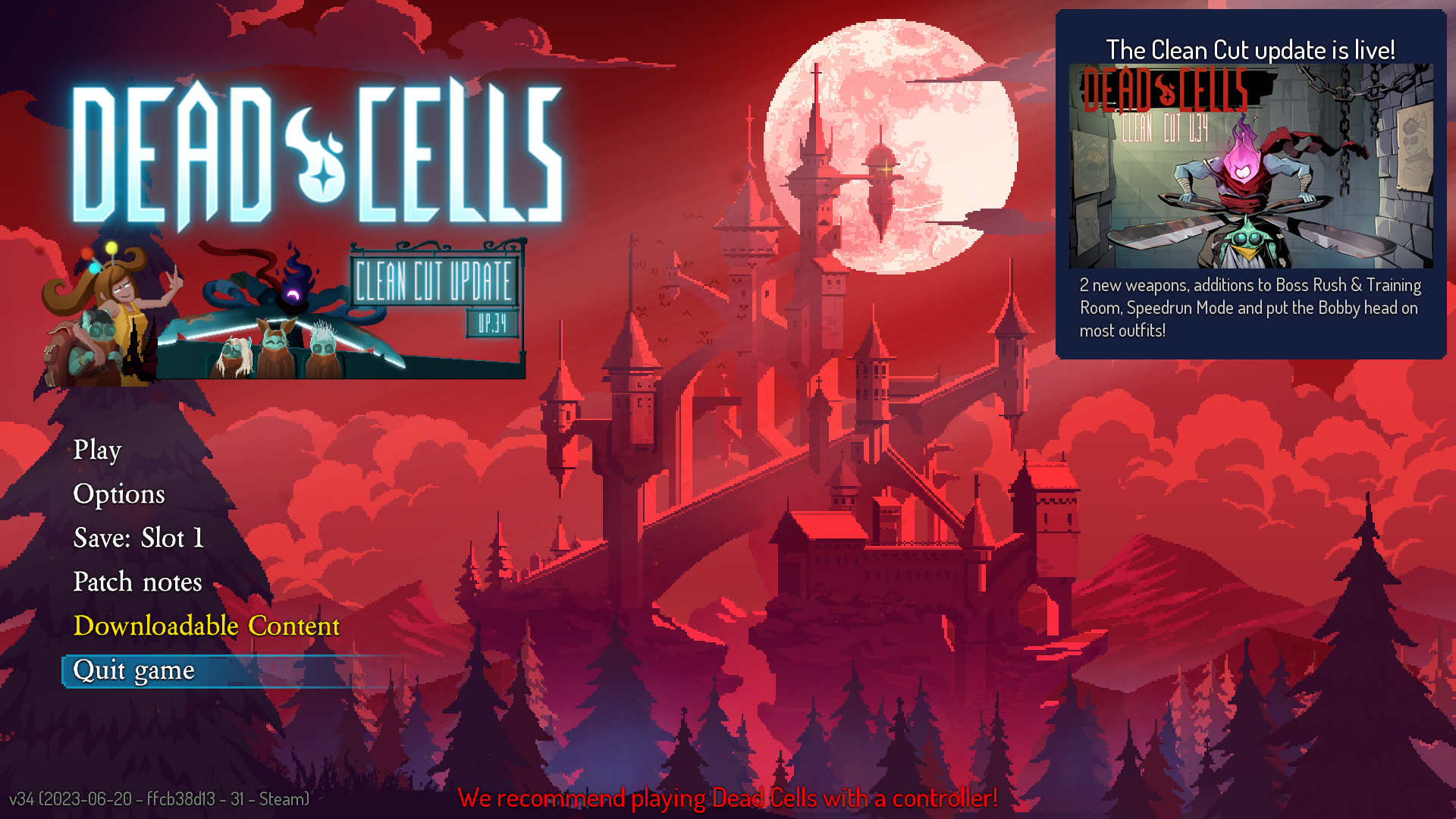
Step One:
Once you're on the game's menu, press "s" five times (Or "w" one time) to reach the correct option:

Step two:
Press the space bar on your keyboard to confirm that you wish to quit the game. In case you don't remember/know what a space bar is, here's an example of it:
Congratulations, you did it!
You closed the game successfully! Now have fun with whatever you're gonna do now, before you go, don't forget to rate this guide and have a good life.

12 Comments
Chip 30 Sep, 2024 @ 12:58pm 
based guide
cymbalic23 21 Jun, 2024 @ 4:57pm 
This one helped me out so much! Couldn't wait to close the game after being stuck for 13 hours on the main menu. :steamhappy:
Ch1nasy 19 Jun, 2024 @ 9:17am 
123
Rubedo Jones 30 Mar, 2024 @ 10:38am 
can u post a separate guide for if u have a xbox controller
斜不拉基线 23 Mar, 2024 @ 7:19pm 
good
memelor67 22 Mar, 2024 @ 6:05pm 
Thank you so much this really helped me :steamthumbsup:
希罗酱希罗酱 17 Mar, 2024 @ 5:13am 
nice
STELLA 16 Mar, 2024 @ 9:31pm 
Nice Work:steamthumbsup:
Pusheen 15 Mar, 2024 @ 7:38pm 
I found this really cool exploit, if you press W key once instead of step one it does it about 2 hours quicker, I struggle with counting so only having to do 1 button instead of 5 really helped me! I hope yall find this helpful :steamhappy:
¿Seguro? 15 Mar, 2024 @ 5:04pm 
I'd been struggling with this for the past 17 hours, my screen was stuck on the main menu. Thank you my saviour for teaching me this art :steamhappy: