Knight Online

Knight Online

Not enough ratings
Logitech / Kalkan Tak Çıkar / Shield Equip Unequip
By Sar9
   
Award
Favorite
Favorited
Unfavorite
Adımlar / Steps


Adım 1
Ghub uygulamasını yönetici olarak çalıştırın.
Step 1
Run Ghub app as administrator.

Adım 2
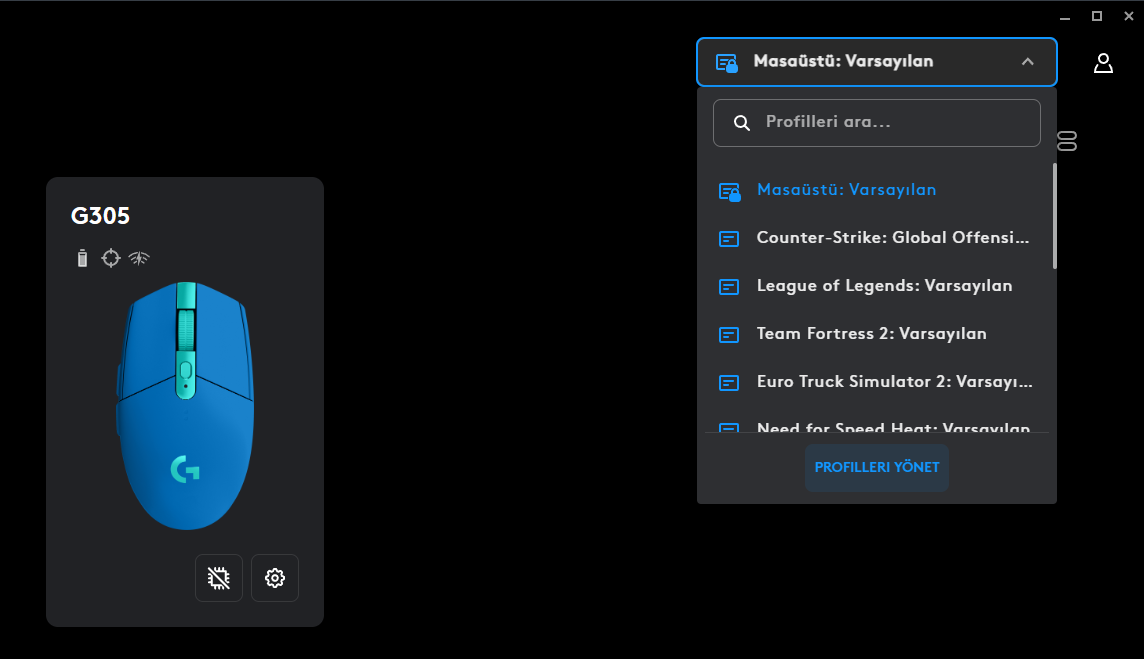
Profil yönetici sekmesinden profilleri yönet seçeneğine tıklayın.

Step 2
From the profile manager tab, click on manage profiles.

Adım 3
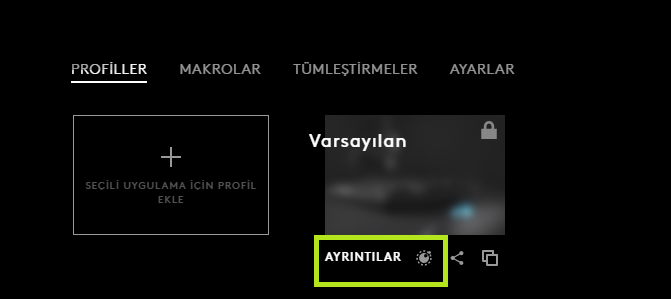
Ayrıntılar sekmesinin sağında komut yöneticisi seçeneği var ona tıklayın.

Step 3
Click on the command manager option on the right of the Details tab.

Adım 4
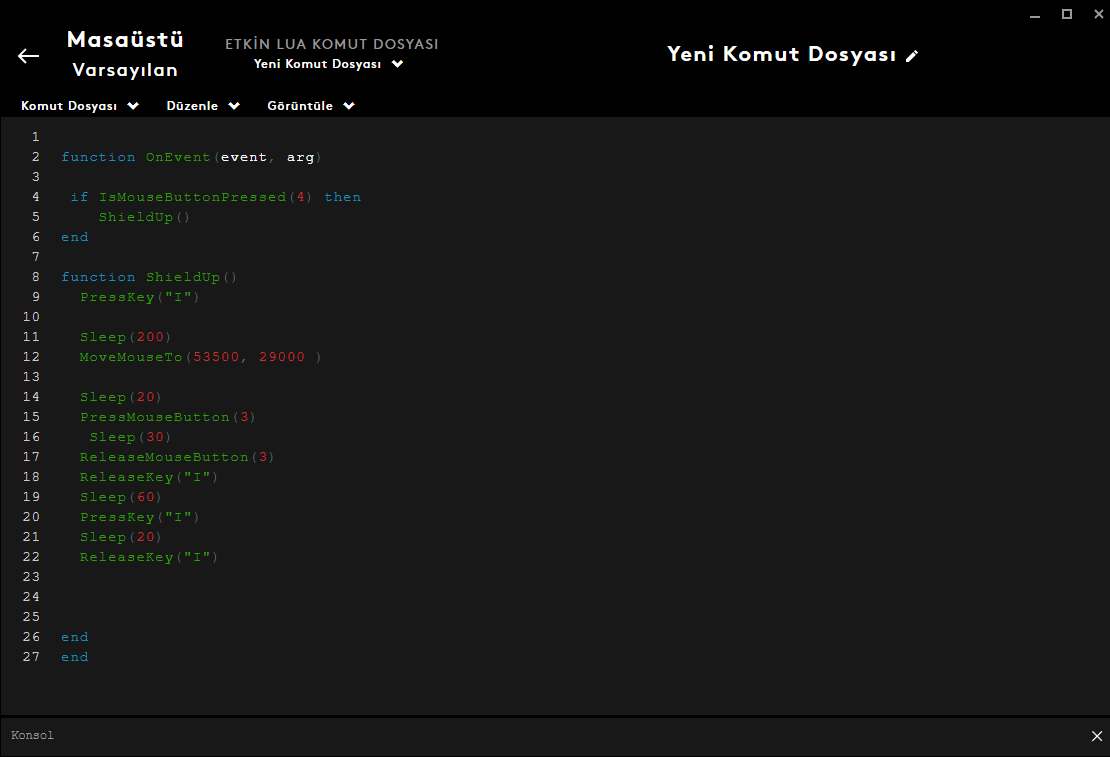
Görseldeki kodları aynen yazdığım gibi yazın. ismousebutton kısmında yazan değer farenin o tuşuna karşılık gelir. Movemouseto kısmında yazan değerler ise soldaki değeri azalttığımızda ekranın yukarısını sağdaki değeri azalttığımızda ise ekranın sağına karşılık gelir soldaki ve sağdaki değerlerin ikiside 0 olduğunda ekranın en üst ve en sağ kısmına denk gelir benim kod satırlarında yazmış olduğum değer 1920x1080 çözünürlük içindir değerleri kendi ekranınıza göre değiştirebilirsiniz.

Step 4
Write the codes in the image exactly as I wrote them. The value written in the ismousebutton part corresponds to that button of the mouse. The values ​​written in the Movemouseto section, on the other hand, correspond to the right of the screen when we decrease the value on the left, and when we decrease the value above the screen, they correspond to the right of the screen when both the values ​​on the left and right are 0, they correspond to the top and right part of the screen. The value I wrote in my code lines is for 1920x1080 resolution.

Adım 5
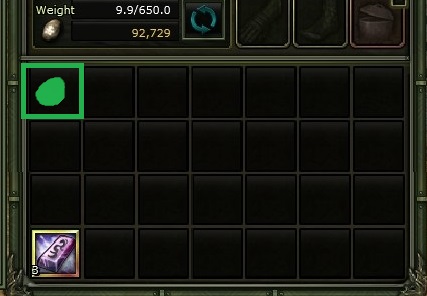
Bu ayarlar envanterin sol en üst kısmı içindir görselde kalkanı ya da tak çıkar yapmak istediğiniz eşyayı koymanız gereken yeri yeşil kutu içinde gösterdim.

Step 5
These settings are for the top left part of the inventory. In the image, I have shown the place where you should put the shield or the item you want to make out in the green box.
1 Comments
fap 29 Nov @ 7:13am 
Kardeşim keşke kodları aynen yazdıgın gibi yorumada yazsaydın o zaman daha iyi yardımcı olabilirdin :)