The Ascent

The Ascent

108 betyg
Ultrawide Monitors FOV Fix
Av Shaz
For anyone gaming on any sort of Utlrawide and suffering from the game being too zoomed in. I finally have a fix for you that does not involve downloading unsigned executables, making AV exceptions or turning off your Windows Defender.

All you need is the official Universal Unreal Engine 4 Unlocker and typing one command into the console to achieve greater FOV and make the game playable again.
7
3
8
3
4
2
2
   
Utmärkelse
Favorit
Favoritmarkerad
Avfavoritmarkerad
What you need?
  • Verified working on STEAM version. NOTE: Getting mixed reports on Gamepass version working. If you don't mind leaving a comment if you can get this working on the Gamepass version.
  • You need to go and download Universal Unreal Engine 4 Unlocker from here[framedsc.github.io].

Injecting UUU into TheAscent's process
  • Load up the game like you usually do and start your story.

  • Alt-Tab out of the game

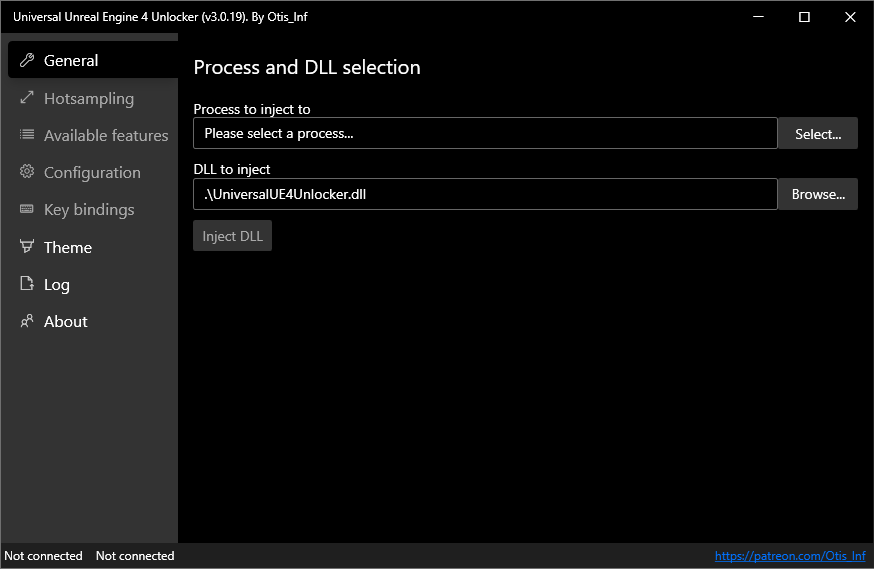
  • Launch the UUU by running UuuClient.exe

  • Next to the In Process to inject to: field. Hit the Select button

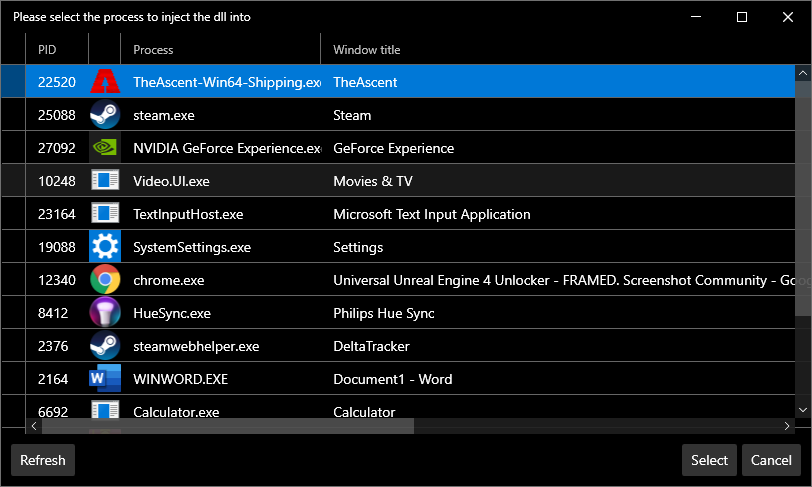
  • You should see the game in that list of processes:

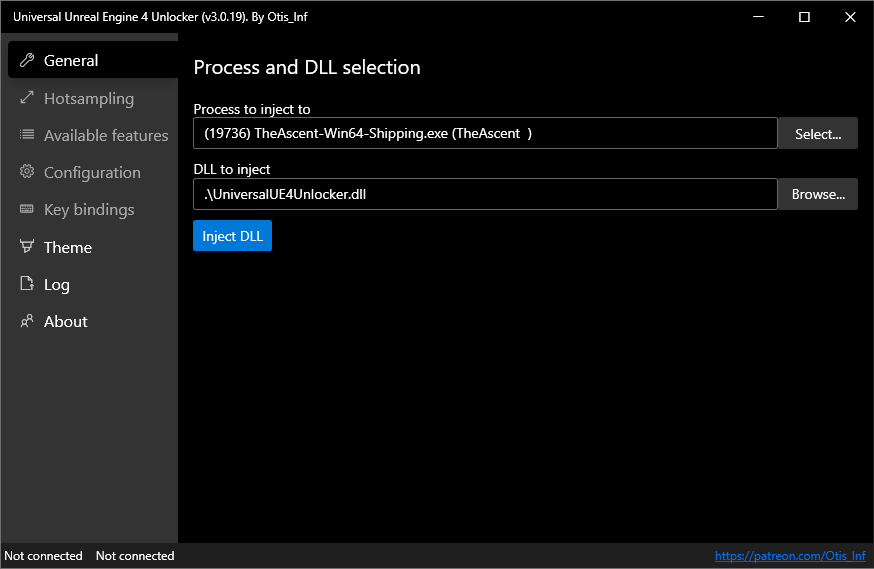
  • Select TheAscent-Win64-Shipping.exe and click Inject DLL

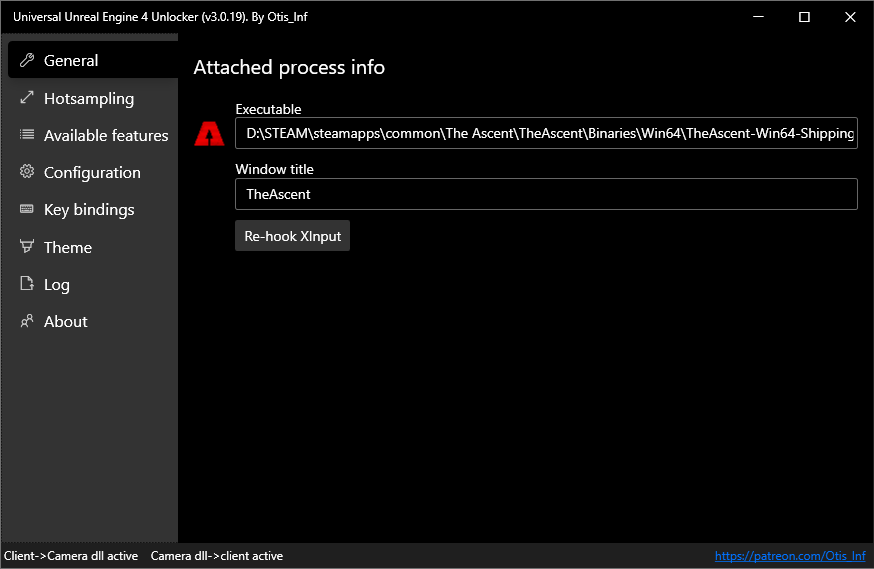
  • You should see the UUU Window change with more options and the icon of the game should appear to the left of the panel showing that it is indeed injected:

  • Now you simply go back to the game, and press the ~ key on your keyboard to open the console.

  • Type fov 80 or whatever number you desire and hit ENTER.

  • Enjoy the game :)

68 kommentarer
Chara 14 jun @ 3:06 
@<color=#ff8c00>Shaz
When deleting the settings from this guide: https://steamproxy.com/sharedfiles/filedetails/?id=2560654961 , the deleted settings reappear in the game using Injecting UUU. Is it possible to somehow install these deleted settings in the console or in Injecting UUU?
Alien Visitor 17 feb @ 9:44 
Hugs and kisses
Manuel 22 dec, 2024 @ 14:31 
work for 16:9 too?
melta 30 nov, 2024 @ 20:50 
Never gonna let you goooooo
Nathan 18 jun, 2024 @ 15:55 
June 2024 and this fix still works - while the game still doesn't natively supports ultra wide screens... make of that what you will!
zipouet 8 apr, 2024 @ 15:01 
Brillllllllliant thanks!
Any way to have it loaded automatically each time we launch the game?
Kookue Cachoo 20 dec, 2023 @ 20:33 
Thank you very much for the guide!
agi 22 mar, 2023 @ 14:16 
Appreciate the guide! The fact that this is even necessary is insane. Neon Giant's response to the requests for native support have ensured I will never make the mistake of buying a game developed by them ever again.
Shaz  [skapare] 13 nov, 2022 @ 22:15 
2Kane, thanks for your comments. Obviously to each his own but the UUU too is far from bloatware. It's a tiny, open source tool built to help debug and develop for unreal engine games. We're simply using it to restore the console in the game.
☠SOON☠ 13 nov, 2022 @ 13:31 
wtf it's like a whole new game, thanks good job!