The Ascent

The Ascent

108 vurderinger
Ultrawide Monitors FOV Fix
Af Shaz
For anyone gaming on any sort of Utlrawide and suffering from the game being too zoomed in. I finally have a fix for you that does not involve downloading unsigned executables, making AV exceptions or turning off your Windows Defender.

All you need is the official Universal Unreal Engine 4 Unlocker and typing one command into the console to achieve greater FOV and make the game playable again.
7
3
8
3
4
2
2
   
Pris
Føj til foretrukne
Gjort til foretrukken
Fjern som foretrukken
What you need?
  • Verified working on STEAM version. NOTE: Getting mixed reports on Gamepass version working. If you don't mind leaving a comment if you can get this working on the Gamepass version.
  • You need to go and download Universal Unreal Engine 4 Unlocker from here[framedsc.github.io].

Injecting UUU into TheAscent's process
  • Load up the game like you usually do and start your story.

  • Alt-Tab out of the game

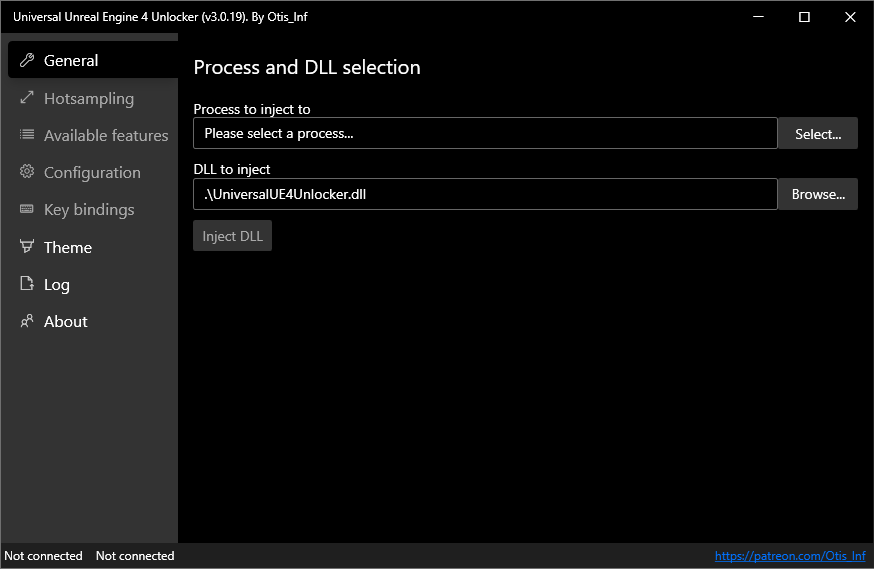
  • Launch the UUU by running UuuClient.exe

  • Next to the In Process to inject to: field. Hit the Select button

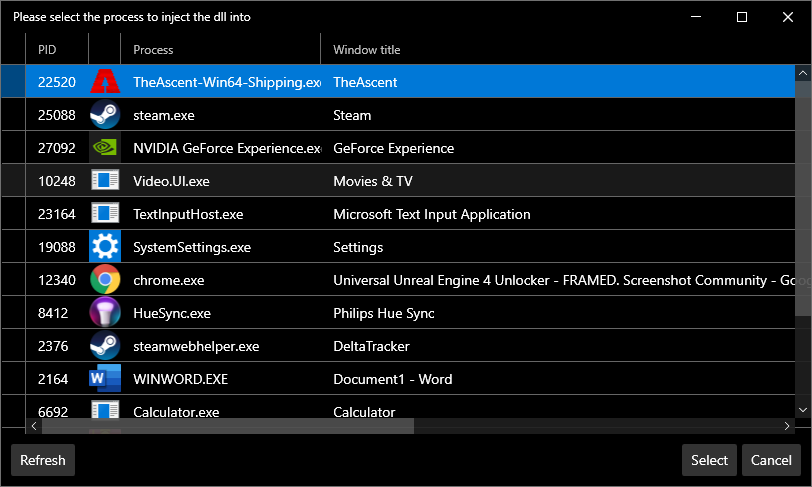
  • You should see the game in that list of processes:

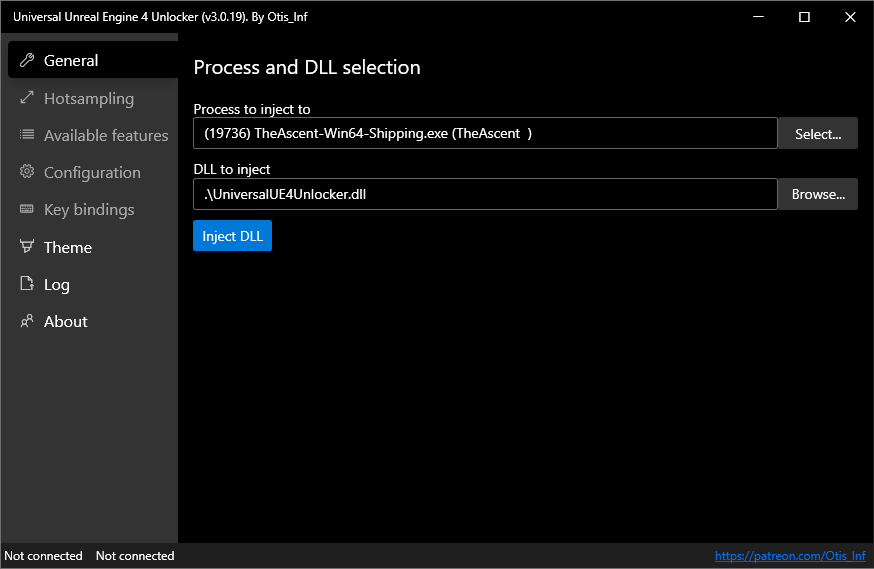
  • Select TheAscent-Win64-Shipping.exe and click Inject DLL

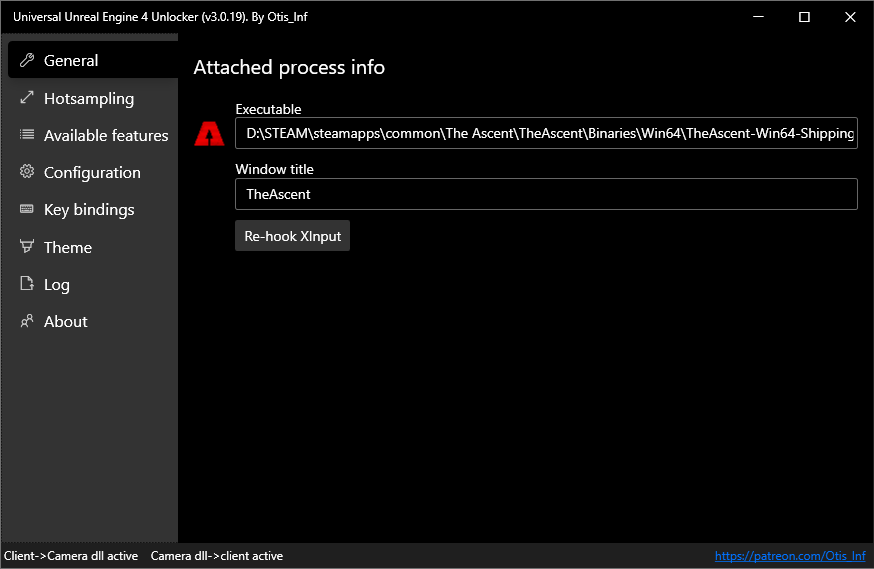
  • You should see the UUU Window change with more options and the icon of the game should appear to the left of the panel showing that it is indeed injected:

  • Now you simply go back to the game, and press the ~ key on your keyboard to open the console.

  • Type fov 80 or whatever number you desire and hit ENTER.

  • Enjoy the game :)

68 kommentarer
Chara 14. juni kl. 3:06 
@<color=#ff8c00>Shaz
When deleting the settings from this guide: https://steamproxy.com/sharedfiles/filedetails/?id=2560654961 , the deleted settings reappear in the game using Injecting UUU. Is it possible to somehow install these deleted settings in the console or in Injecting UUU?
Alien Visitor 17. feb. kl. 9:44 
Hugs and kisses
Manuel 22. dec. 2024 kl. 14:31 
work for 16:9 too?
melta 30. nov. 2024 kl. 20:50 
Never gonna let you goooooo
Nathan 18. juni 2024 kl. 15:55 
June 2024 and this fix still works - while the game still doesn't natively supports ultra wide screens... make of that what you will!
zipouet 8. apr. 2024 kl. 15:01 
Brillllllllliant thanks!
Any way to have it loaded automatically each time we launch the game?
Kookue Cachoo 20. dec. 2023 kl. 20:33 
Thank you very much for the guide!
agi 22. mar. 2023 kl. 14:16 
Appreciate the guide! The fact that this is even necessary is insane. Neon Giant's response to the requests for native support have ensured I will never make the mistake of buying a game developed by them ever again.
Shaz  [ophavsmand] 13. nov. 2022 kl. 22:15 
2Kane, thanks for your comments. Obviously to each his own but the UUU too is far from bloatware. It's a tiny, open source tool built to help debug and develop for unreal engine games. We're simply using it to restore the console in the game.
☠SOON☠ 13. nov. 2022 kl. 13:31 
wtf it's like a whole new game, thanks good job!