Insurgency: Sandstorm

Insurgency: Sandstorm

Not enough ratings
Informations & Guides for Insurgency: Sandstorm
By Bl@Z3
  1. - Warnings
  2. - General information
  3. - Availability
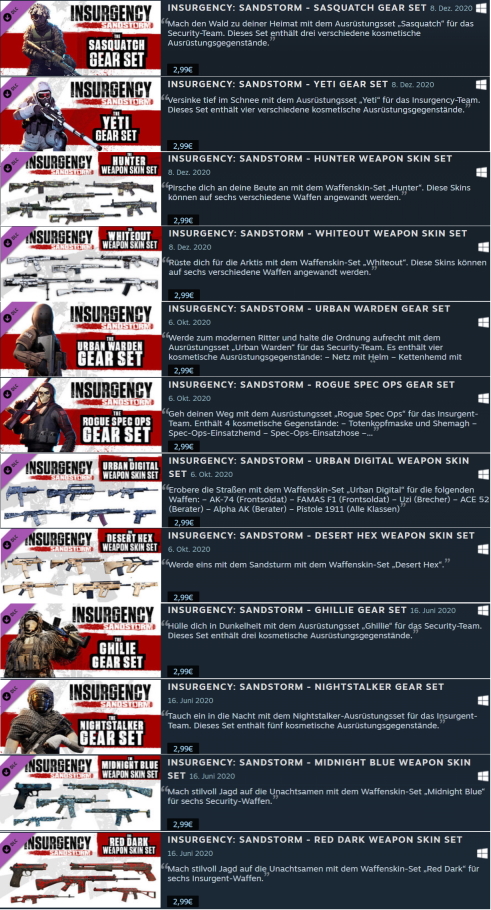
  4. - DLC and expansion packs
  5. - Skip intro videos
  6. - Configuration file(s) location
  7. - Save game data location
  8. - Performance Boost & Fixes (incl. RX 6000 Series shadow flickering)
  9. - Server Admin Guide
   
Award
Favorite
Favorited
Unfavorite
Warnings
This game requires a constant internet connection for all game modes.
General information
Developers: New World Interactive
Publishers: Focus Home Interactive
Engines: Unreal Engine 4
Release date: December 12, 2018
Metacritic: 78
OpenCritic: 79
IGDB: 77
Taxonomy: Monetization & DLC
Modes: Multiplayer
Pacing: Real-time
Perspectives: First-person
Controls: Direct control
Genres: FPS
Art styles: Realistic
Themes: Contemporary
Series: Insurgency


Steam Community Discussions
Official forums[forums.focus-home.com]
Technical FAQ
Availability
GamersGate[www.dpbolvw.net]
Gamesplanet[gamesplanet.com]
Green Man Gaming[www.dpbolvw.net]
Humble Store[www.humblebundle.com]
Steam
All versions require Steam DRM and a constant internet connection for all game modes.
DLC and expansion packs
Skip intro videos
Rename movie files
  1. Go to <path-to-game>\Insurgency\Content\Movies.
  2. Delete or rename files:
  3. FOCUS_BLUE_MASTER_UE4_OPTIMIZED.mp4
  4. NWI_1088p_60.mp4
  5. UE_Startup_Still_1080_30.mp4
Configuration file(s) location
System
Location
Windows
%LOCALAPPDATA%\Insurgency\Saved\Config\WindowsClient\
Steam Play (Linux)
Steam-folder>/steamapps/compatdata/581320/pfx/
Save game data location
System
Location
Windows
%LOCALAPPDATA%\Insurgency\Saved\SaveGames\Profile\
Steam Play (Linux)
<Steam-folder>/steamapps/compatdata/581320/pfx/
Performance Boost & Fixes (incl. RX 6000 Series shadow flickering)
Use -USEALLAVAILABLECORES command line argument
(Whilst widely shared, this is potentially a placebo.)

Use -NOTEXTURESTREAMING command line argument
(This command loads all texures into memory. As such, high VRAM 8 GB and system memory 16 GB is recommended. Known to cause heavy stuttering due to constant swapping.)

Use -DX12 command line argument
(Fix Radeon RX 6000 Series shadow flickering too.)

Disable Hyperthreading in BIOS
(Known to help with Intel CPUs.)

Lower the Texture Streaming Pool Size

Turn down Dynamic Shadow Resolution

Turn down Cascaded Shadow Map Resolution

Server Admin Guide
Content of Guide
  • Installation
  • Prerequisites
  • Windows
  • SteamCMD
  • Launching
  • Travel Parameters
  • Command Line Arguments
  • Configuration
  • Admin List
  • Remote Access (Rcon)
  • Enabling Access
  • Commands
  • Enabling Stats
  • GSLT Authentication
  • Stats Opt-in
  • Optional: Official Rules
  • Map Cycle
  • Scenario List
  • Mutators
  • Headshots Only
  • Hot Potato
  • Vampirism
  • General Configuration
  • Gamemode Configuration
  • Player Voting
  • Vote Kick Options

For full Guide look here[drive.google.com]